When a new console game costs nearly as much as a phone upgrade, the budget choice gets real fast. The Best Gaming Phones Under $300 in 2026 can handle many games, but demanding titles, battery life, and everyday use pull in different directions. Thermal throttling means a phone’s reduction of processor or graphics speed when heat rises too high.
Prices, storage versions, and availability can change by seller. I count a phone as a true under-$300 pick only when its current unlocked price is below the cap. I’ll help you narrow the shortlist without assuming every listed model meets that test.
Key Takeaways
- Check the current unlocked US price before treating any phone as a sub-$300 pick.
- Match the chipset to the games you play most.
- Compare performance in long sessions, not just quick tests.
- Check the exact RAM, storage, screen, battery, and seller terms.
- Confirm carrier support before buying an unlocked phone.
I’ll start with the strongest contenders, then show you a quick way to compare their tradeoffs.
Best Gaming Phones Under $300 in 2026: Which Picks Are Worth Buying?
The strongest value depends on the live deal and the games you play most. A phone belongs on this budget list only when its current unlocked US price is below $300. Retailer, country, storage version, and sales can all change the price, so each contender needs its own check.
My shortlist includes ten candidates, not ten guaranteed deals. The phrase “top 10 gaming phone 2026” works as a list of phones to investigate, not proof that all ten currently meet this budget.
- POCO X7 Pro and POCO F6
- OnePlus Nord 4 and iQOO Z10
- Nothing Phone (3a) and Redmi Note 14 Pro+
- CMF Phone 2 Pro and Samsung Galaxy A36 5G
- Motorola Moto G Stylus 5G (2024), plus refurbished Galaxy S23 or iPhone 14 options
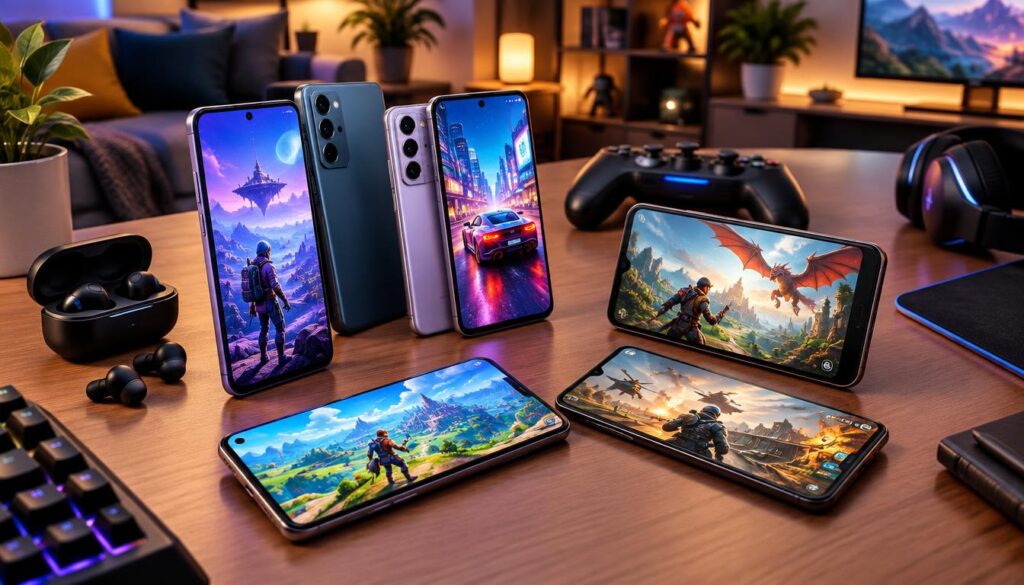
These best gaming phones cover different needs. Some make more sense for demanding games, while others may fit daily tasks, screen preferences, or a renewed-device budget better.
Before choosing, check the exact model, storage version, seller, and current US availability. An attractive listing in another country does not prove that the same phone is available unlocked in the United States. Price alone also cannot tell you how well a phone handles your games.
I judge a gaming phone by its chipset, performance over time, screen, battery, memory, and purchase terms. A low price matters only if the device suits the games and works on your carrier. The strongest deal for one player may be a poor fit for another.
I’ll narrow the contenders into performance-first, balanced, and alternative picks before comparing their details.
Which phones deliver the most gaming performance?
For demanding games, I would compare the POCO X7 Pro and POCO F6 first. Their chipsets and GPUs give them a performance-first case, but results still vary by game. Each remains a contender only if its live unlocked US price falls below the cap.
POCO X7 Pro for demanding Android games
The POCO X7 Pro uses a MediaTek Dimensity 8400 Ultra chipset with an Arm Mali-G720 GPU. That pairing makes it one candidate to examine for demanding games, where graphics work can tax a phone more than casual play.
A strong chipset does not promise the same frame rate in every title. Game updates, graphics settings, and the length of a session can change what you see. Check how a game runs on the exact phone rather than judging by a chipset name alone.
POCO F6 for Snapdragon gaming and emulation
The POCO F6 uses a Snapdragon 8s Gen 3 chipset with an Adreno GPU. That Snapdragon platform gives it a different route to strong gaming performance, and it may appeal to players who prefer Snapdragon hardware.
Emulation adds another layer. PPSSPP and AetherSX2 are Android emulators, but performance depends on the game, emulator, drivers, and resolution. A phone that handles one title well may need lower settings for another.
Here are five examples to use when thinking about your own play habits:
- Genshin Impact
- Wuthering Waves
- Honkai: Star Rail
- PPSSPP games
- AetherSX2 games
These titles and tools do not create a universal ranking. I would start with the game you play most, then look for performance reports for that specific title and phone.
Players who want strong gaming performance without making it their only priority may prefer a more balanced everyday phone.
Which mid-range phones balance gaming and everyday use?
A regular player who also checks email, maps, and messages needs more than peak game speed. These four candidates pair named mid-range chipsets with different everyday-use cases. Their paper specs do not prove that any exact US listing costs under $300.
OnePlus Nord 4 for a performance-and-efficiency balance
The OnePlus Nord 4 uses a Snapdragon 7+ Gen 3. That chipset sits in an upper mid-range class, so I would consider it for someone who wants a capable gaming phone without choosing only by its highest-end gaming credentials.
Think about your regular apps as well as your games. A phone that feels responsive during everyday use can be a better fit than one chosen for a single demanding title.
iQOO Z10 for longer play sessions
The iQOO Z10 uses a Snapdragon 7s Gen 3, a mid-range option for mainstream games. It may suit players whose usual titles do not call for top-tier hardware.
For longer play, compare the exact version’s battery, display, and cooling details. The chipset name alone does not show how the phone feels after an extended session.
Nothing Phone (3a) for gaming and design
The Nothing Phone (3a) also uses the Snapdragon 7s Gen 3. Its design may catch the eye of someone who wants a phone with a distinct look and enough power for mainstream games.
For a broader look at its balance of gaming and everyday use, see my comparison of gaming phones under $400. That higher budget does not establish that this model meets the under-$300 cap.
Redmi Note 14 Pro+ for mixed everyday use
The Redmi Note 14 Pro+ uses the Snapdragon 7s Gen 3 as well. It belongs in this group for buyers comparing mainstream gaming with routine phone use.
That shared chipset does not make the three phones identical. Screens, batteries, cooling, and prices can differ, so compare the exact storage version on sale instead of transferring one model’s details to another.
These balanced choices lead to less direct alternatives, including screen-focused phones, design choices, and refurbished older flagships.
What other sub-$300 candidates are worth checking?
A new mid-range phone may offer a simpler purchase, while a refurbished older flagship may offer a different mix of hardware. Each option has a tradeoff, and the listed features do not establish current US price or availability. I would judge the exact listing rather than assume every candidate fits the budget.
CMF Phone 2 Pro for clean software and everyday gaming
The CMF Phone 2 Pro is described with a bright OLED display and clean software. That combination may appeal if screen quality and a straightforward software experience matter alongside mobile gaming.
Those details do not prove how demanding games perform. Check the games you play, the exact storage version, and whether the phone suits your routine before making it a finalist.
Samsung Galaxy A36 5G for a smooth screen
The Samsung Galaxy A36 5G has a 120Hz screen and mid-range performance. That can make it worth checking if smooth scrolling and supported games matter to you.
Keep the model name exact. The Galaxy A36 5G’s stated screen and performance details do not apply to every Samsung Galaxy A-series phone. A high refresh rate also cannot promise that each game runs at that rate.
Motorola Moto G Stylus 5G (2024) for a large display
The Motorola Moto G Stylus 5G (2024) has a 6.8-inch display and 8GB of RAM. That screen size may suit players who want more room to see a game, while the memory figure gives a concrete configuration detail to compare.
A large display is not automatically the best fit for every hand or game. Check the phone in person if size affects comfort, and review the exact listing for its memory and storage details.
Refurbished Galaxy S23 or iPhone 14 for past-generation hardware
A refurbished Galaxy S23 or iPhone 14 may offer past-generation flagship hardware at a price that fits your plan. Their current US prices and condition are not established here, so treat each as a possibility rather than a confirmed deal.
Ask about condition, battery condition, seller return terms, and whether the exact device is an unlocked phone. Refurbished grades and return rules can vary by seller, so read the listing carefully before paying.
Once the options are clear, compare each finalist on the same features instead of relying on the model name or one appealing specification.
How can I compare gaming phones on the same criteria?
Two listings can carry the same model name but include different storage configurations. Compare the exact phone and version, not just the headline price. A list price can hide a meaningful difference in memory or storage between offers.
| Comparison area | What to compare on the exact phone | Why it matters |
|---|---|---|
| Chipset and GPU | Named chipset and graphics processor | Shows the hardware handling game logic and graphics |
| Sustained performance | Performance during a long gaming session | Shows whether speed holds after heat builds |
| Display | Panel type and supported refresh rate | Shows screen quality and supported motion rates |
| Battery and charging | Exact battery and charging details | Helps compare power needs and recharge options |
| RAM and storage | Exact memory and storage configuration | Shows how many apps stay ready and games fit |
Use the table to compare two real listings side by side. A seller may list one storage version at a lower price, while another version offers more room for installed games.
For sustained performance, look for tests that reflect longer play rather than a quick benchmark. For the display, check the panel and supported refresh rate on that exact version. Product pages can use broad model names, so read the configuration details closely.
Start with the chipset and GPU if demanding games are your priority. Those parts give the clearest first clue about a phone’s graphics capability.
Which chipset matters most for demanding games?
For demanding games, chipset and GPU capability deserve more attention than a RAM number alone. The GPU does most of the graphics rendering, while the CPU handles game logic and other tasks. A chipset class helps narrow choices, but it cannot predict identical results in every title.
CPU and GPU do different jobs
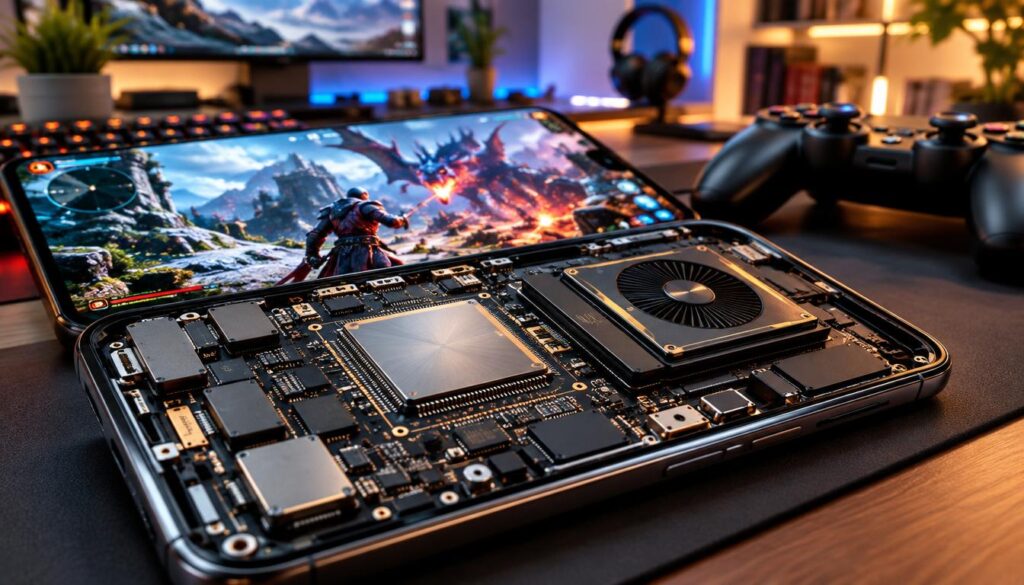
The CPU handles game logic, physics, AI, and background tasks. It helps the game react to player actions and keeps other work moving.
The GPU renders textures, lighting, shadows, and effects. For visually demanding games, the GPU’s ability to draw those scenes can shape the gaming experience more directly than a larger RAM number.
Both parts matter because games ask them to work together. A fast CPU cannot make up for every limit in graphics hardware, and a powerful GPU does not handle every task alone.
Match processor class to the games you play
The Snapdragon 8s Gen 3 and Dimensity 8400 Ultra sit in the high-performance group among the chipsets in this roundup. The Snapdragon 7+ Gen 3 offers upper mid-range performance, while the Snapdragon 7s Gen 3 is aimed at mainstream games.
Use that class as a starting guide, not a promise. A game’s graphics, updates, and settings can change how each phone performs. The chipset table gives a practical way to match the hardware class to your usual play.
| Processor class | Gaming class | Best use |
|---|---|---|
| Snapdragon 8s Gen 3 | High performance | Demanding Android games and compatible emulation |
| Dimensity 8400 Ultra | High performance | Demanding games with graphics-heavy scenes |
| Snapdragon 7+ Gen 3 | Upper mid-range | Regular gaming with everyday phone use |
| Snapdragon 7s Gen 3 | Mid-range | Mainstream games and mixed daily use |
If you mostly play lighter games, a mainstream class may be enough. If you play visually demanding titles, start with the stronger classes, then check how the exact phone handles your game.
Peak capability is only part of the story. The phone still needs to hold its speed as heat builds during play.
How can I tell if a phone will hold performance during long sessions?
A game may feel smooth for ten minutes, then feel different after the phone warms up. Thermal throttling is a phone’s reduction of processor or graphics speed when heat rises too high. It helps manage temperature, but can affect a long session.
The possible progression below is illustrative, not a guaranteed pattern for every phone. A phone might begin at high speed, build heat, then lower its speeds to manage temperature.
| Session duration | Possible behavior | What to watch for |
|---|---|---|
| 10 minutes | Performance may start high | Check smooth play and early warmth |
| 30 minutes | Heat may build during play | Notice changes in speed or comfort |
| 60 minutes | Speeds may drop to manage heat | Watch for reduced smoothness or extra warmth |
A brief benchmark cannot establish sustained performance. It shows a short result, not how a phone behaves after a long gaming session.
If a demanding game stutters or feels hot, lowering graphics settings can help. A smaller graphics load may make play more manageable, though each game and phone can respond differently.
Heat can also affect how comfortable a phone feels in your hands. Cases, room temperature, charging during play, and background apps may change your experience, so test the habits you expect to use.
Long-session behavior leads to another visible part of play: the screen’s refresh rate and the motion it can show.
Does a high refresh rate make games look smoother?
A 120Hz display can make supported games look smoother, but it does not promise 120 frames per second in every game. The game must support the rate, and the phone must sustain the needed performance. Otherwise, the screen’s highest refresh rate may not change that game’s motion.
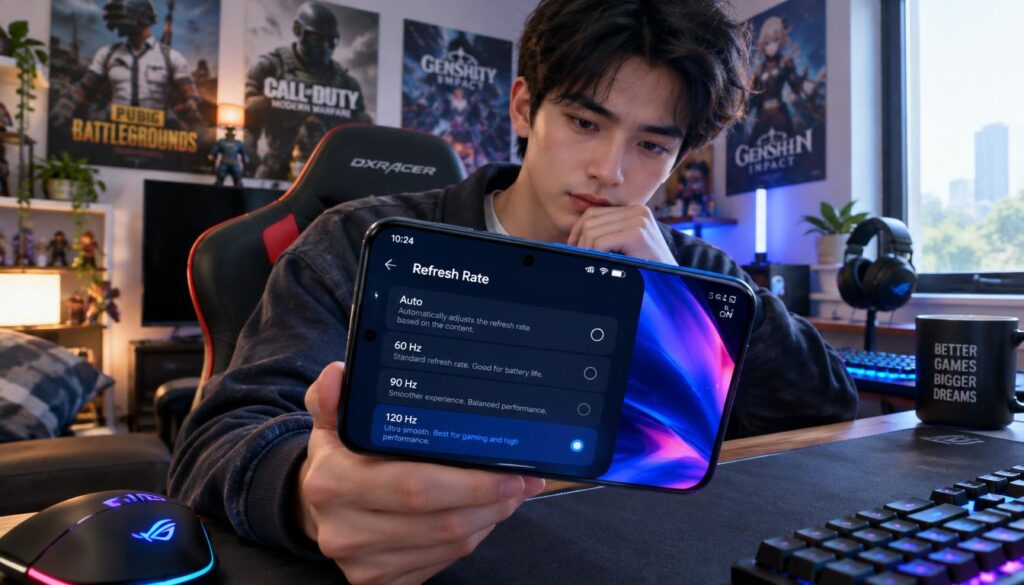
Refresh rate describes how often a screen can update its image each second. A higher rate can make supported motion look more fluid, but the game and phone both need to deliver the benefit.
Check these three details before deciding that a high refresh rate suits your mobile gaming:
- Panel type and resolution
- Refresh-rate options in the phone settings
- The game’s own frame-rate support
Some games limit frame-rate choices inside their own settings. A phone may offer a high refresh rate, while a particular title supports a lower rate or different graphics modes.
Try the settings menu and the game’s display options when possible. Those menus can show which refresh settings are available, but they do not guarantee that a game will hold its highest rate in every scene.
Smooth visuals help only if the phone can stay powered through a session.
What battery and charging details matter for mobile gaming?
A long commute with a game session and no easy outlet calls for a realistic battery plan. Battery capacity alone cannot tell you how many hours of gaming a phone will provide. Runtime depends on the game and how you use the device.
Demanding games, screen brightness, refresh settings, heat, and network use can all affect battery life. Two players with the same phone may see different results because their settings and play habits differ.
Compare the exact model’s battery and charging information. Check the seller’s details for the storage version you want, since model names alone may not show every configuration.
Do not infer hours of play from battery capacity. No consistent gaming-runtime figures are supplied for these candidates, so a capacity number cannot promise a fixed session length.
Charging matters for convenience, too. If you often play away from home, think about where you can recharge and whether the exact listing includes the accessories you expect.
Once you have a power plan, check the memory and storage that affect multitasking and game installs.
How much RAM and storage should a gaming phone have?
Chipset and GPU capability matter more than choosing a larger RAM number once a phone has enough memory. As general guidance, 6GB or more of RAM should be enough for games from Candy Crush to Honkai: Star Rail. That is not a guarantee for every future game.
RAM is the memory used to keep active apps and games ready. More RAM can help with loading and keeping more apps ready, but it does not replace gaming performance from the chipset.
Storage holds installed games, photos, and other files. Fast storage can affect loading times, though the exact effect depends on the device and game.
Check the exact storage configuration in the listing. Different versions of one phone can offer different amounts of space, and the amount you need depends on the games and files you keep.
There is no universal minimum storage amount for every player. Think about your current game library and whether you keep large games installed between sessions.
Memory and storage are only part of a sound purchase. US network and seller checks can turn a good-looking listing into a poor buy if you skip them.
What should I check before buying an unlocked phone in the US?
An affordable unlocked listing can still be a poor fit if it does not match your carrier’s network. The phrase “best gaming phones under $300 in 2026 unlocked” matters only when the specific phone works with your US carrier. Check the exact model, not just its brand.
Confirm network and calling compatibility
Before ordering an unlocked phone, check these three points with your carrier:
- Confirm the exact model’s supported bands with the carrier.
- Verify voice and data compatibility for that model.
- Check whether the model supports your SIM or eSIM setup.
Two phones with similar names can support different network bands or SIM options. Ask about the exact model number shown on the seller’s listing, then confirm that your carrier supports calling and data.
Compatibility matters as much as a low price. A phone that cannot connect as you need may not work for everyday use, even if its gaming features look appealing.
Check software support and the seller’s terms
Read the manufacturer’s current update-support policy for the exact model. Do not assume that every phone receives the same updates or support period.
Review the seller’s return terms and warranty coverage before you pay. For a renewed phone, check the stated condition and battery condition, along with the return window.
Ask what happens if the device arrives with a fault or does not match the listing. Return terms can make a real difference when buying online, especially for a used or refurbished phone.
With network, software, and seller details in hand, make the final choice around your games and budget.
Which phone should you choose for your games and budget?
Start with your most demanding game and the current listing price. A phone is worth buying in 2026 only if its exact unlocked price fits your budget and its hardware suits your games. No exact US under-$300 price is established for every candidate.
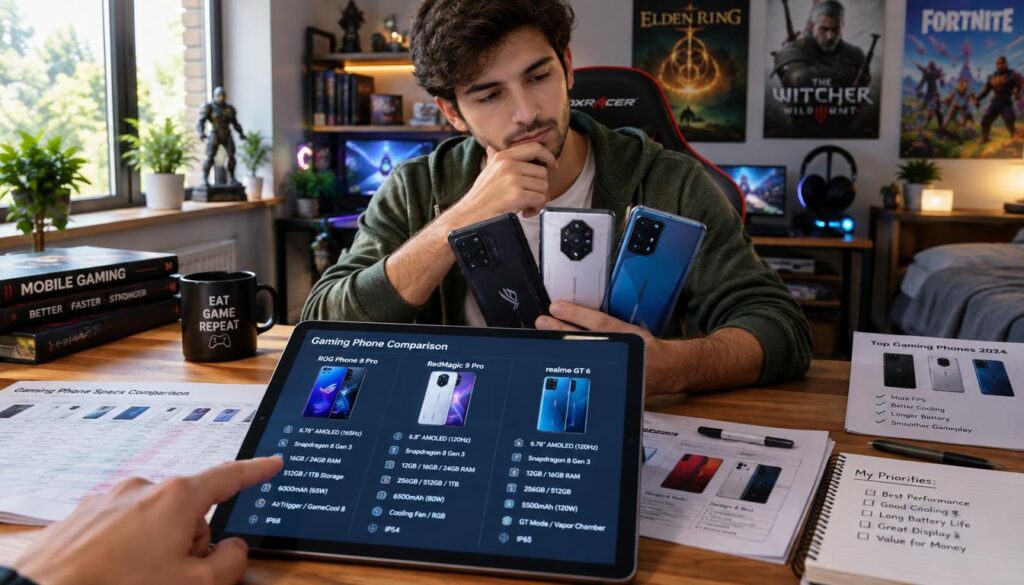
| Check | Practical rule |
|---|---|
| Price | Keep only listings below $300 unlocked in the US |
| RAM | Use 6GB or more as a general baseline |
| Display | A 120Hz panel helps only games that support higher rates |
| Cooling | Judge long-session behavior, not a short peak result |
| Battery or charging | Compare exact details; capacity alone does not predict playtime |
Use that rule to narrow the list by what you actually play. Demanding titles call for a suitable chipset and performance that lasts, while lighter games may leave more room to favor daily comfort or a preferred screen.
Before you buy, make these four final checks:
- Verify the storage version.
- Check the seller’s return window.
- Confirm included charging accessories.
- Compare the current unlocked price.
Remove any model from your shortlist if its current listing exceeds the cap. A refurbished option also needs a careful condition check before you weigh its price against a new phone.
Verify the exact model and seller once more before you choose the phone that fits your budget and play habits.
Conclusion
Choose a phone for the games you actually play, not the biggest number on its box. For demanding titles, chipset capability and performance over long sessions should guide your choice. A balanced phone may suit you better if battery life and everyday tasks matter just as much.
Before buying, check the current unlocked US listing, the exact storage version, and carrier compatibility. Prices and versions can differ between sellers, so match the details to the phone you will receive.
Verify the listing, then choose the candidate that fits both your budget and play habits.
FAQ
What is the best gaming phone under $300?
The best gaming phone under $300 is the strongest suitable option whose current unlocked US price is below $300. Start with the chipset for your most demanding games, then check whether performance holds during longer sessions. A model that exceeds the cap in its exact storage version does not qualify, even if another version or sale once met it.
What is the best Android phone under $300 in 2026?
The best Android phone under $300 in 2026 depends on its current price, US availability, and your main use. For gaming, I would favor a suitable chipset and sustained performance. For all-day use, you may care more about the screen, battery, and software. Check each exact unlocked listing because prices and storage versions can differ.
What is the best mobile phone under $300?
The best mobile phone under $300 depends on whether you want an all-round device or a gaming-first option. A balanced phone may better suit daily tasks, while demanding games call for capable graphics hardware. Compare the exact model and storage version, then check its current unlocked price. Do not assume that a phone in a shortlist currently meets the cap.
What are the best phones for under 300 dollars?
Consider the POCO X7 Pro, POCO F6, OnePlus Nord 4, Nothing Phone (3a), and Samsung Galaxy A36 5G as candidates. These options serve different needs, and none is automatically under $300. Check the current unlocked US price for each exact model and storage version. Also confirm carrier support before ordering an unlocked device.
What is the best budget phone in 2026?
There is no universal best budget phone in 2026 because buyers value different features. Match the chipset to your games, then consider screen quality, battery needs, software, and everyday use. A gaming-first pick may not be the best all-round choice. Compare exact listings, since availability and price can change across sellers and storage versions.
What is the cheapest but good phone?
The cheapest good phone is one that works on your carrier and runs your games acceptably. A low price cannot make up for poor network fit or performance that frustrates you. Check the exact model’s supported bands, voice and data support, and SIM options. For a refurbished phone, also review its condition and return terms.
Which phone is best value for money in 2026?
The best value phone in 2026 offers gaming performance that suits your titles and useful everyday features at a verified price below your cap. A more powerful chipset may matter for demanding games, while other players may favor a balanced screen and battery. Compare the exact unlocked listing and storage version before judging value.
Which is the cheapest but best phone?
The cheapest listing is not always the best choice. It may have less storage, weaker performance, uncertain condition, or network limits. Check the exact configuration, seller return terms, and carrier compatibility before buying. For a refurbished phone, review battery condition as well. Choose the lowest-priced option that still meets your needs, not simply the smallest number.