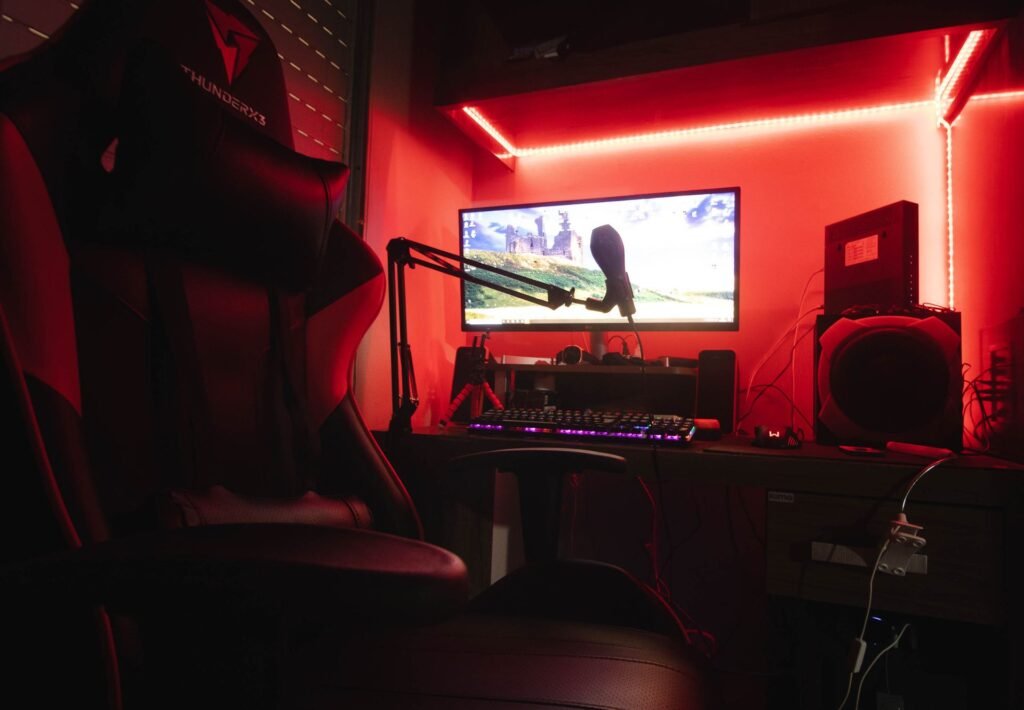
Six months ago I cancelled my GeForce Now subscription after three years. Last month I resubscribed. That should tell you something about where cloud gaming stands in 2026 — it’s genuinely good enough to use as your primary gaming setup, but it still has rough edges that’ll push you away if you hit them at the wrong moment.
If you’re in the other 40% considering a build, our complete budget PC guide shows you exactly how to put one together for under $500.
Cloud gaming has quietly crossed a threshold this year. GPU prices haven’t come back down — a Tom’s Hardware survey from May 2026 found that 60% of PC gamers have no plans to build a new PC in the next two years. Into that gap, the streaming services have stepped up. GeForce Now now runs RTX 5080-class Blackwell servers. Xbox Cloud Gaming just cut its price after a brutal 2025 hike. PlayStation Plus Premium expanded its PS5 streaming library. The technology is real, the value proposition is finally honest, and for certain types of players it’s the best deal in gaming right now.
But it’s still not for everyone. Here’s the honest version of what cloud gaming in 2026 actually is — who it suits, who it’ll frustrate, and which service to pick if you do go for it.
How Cloud Gaming Actually Works (And Why It Matters)
Before getting into services, it’s worth being clear on what cloud gaming does — because there’s a common misconception that trips people up.
Your game isn’t running on your device. It’s running on a server in a data center, rendering every frame on a remote GPU. That rendered video gets compressed and streamed to your screen over the internet. You send your inputs back — controller movements, mouse clicks, keyboard presses. The server processes them and sends the next frames.
This is why your internet connection is not optional — it’s the most important variable in your entire cloud gaming experience. More than your device. More than the service you pick. A fast, stable, low-latency connection makes cloud gaming feel genuinely responsive. A slow or congested connection makes every game feel like you’re playing through a slow relay race.
Before signing up for anything, run a speed test. You want at minimum 15Mbps for 1080p streaming, 35Mbps for reliable 4K, and ideally under 30ms ping to the nearest data center of whichever service you’re considering. GeForce Now, Xbox, and PlayStation all publish network test tools — use them before committing money.
GeForce Now — Best Performance, But Read the Fine Print
Price: Free tier (1-hour sessions) / Priority $9.99/month / Ultimate $19.99/month Resolution: Up to 4K 120fps (Ultimate) / Up to 1080p 60fps (Priority) Library: 2,000+ games — your existing Steam, Epic, GOG, Ubisoft Connect library
GeForce Now is what happens when NVIDIA decides to put data-center-grade GPUs into the cloud. Ultimate tier runs on RTX 5080 Blackwell servers — the same GPU architecture in NVIDIA’s flagship desktop cards — and delivers up to 4K 120fps with DLSS 4 and NVIDIA Reflex for latency reduction. On a good connection near a data center, it genuinely feels like playing locally on hardware that costs far more than the subscription.
The model is different from Xbox and PlayStation. GeForce Now doesn’t give you games — it gives you the hardware to run games you already own. Connect your Steam library, your Epic library, your GOG account, and stream anything supported. This is actually the right approach for anyone with a significant existing PC game library, because it means you’re not renting access to content that disappears if you cancel. Your games are yours. GFN just streams them.
The catch that NVIDIA added in January 2026: A 100-hour monthly playtime cap on all paid tiers. That works out to about 3.3 hours per day, which sounds like plenty until you have a long gaming weekend and burn through it by day 20. Unused hours (up to 15) roll over. Extra blocks are purchasable. But the cap is a real limitation that didn’t exist before, and heavy users will bump into it.
The other honest limitation: not every game in your Steam library is streamable. NVIDIA needs publisher agreements for each title. Over 2,000 are supported, including virtually all major AAA releases, but there are gaps. Check the GeForce Now game library page before subscribing if specific titles matter to you.
Who it’s for: Anyone with a large PC game library who wants to play on a device that can’t handle those games locally — a MacBook, a budget laptop, a phone, a TV. The 100-hour cap is the dealbreaker to watch.
Xbox Cloud Gaming — Best Value If You Want a Game Library
Price: Included with Game Pass Ultimate ($22.99/month) or PC Game Pass ($14.99/month) Resolution: Up to 1440p Library: 400+ games included, day-one first-party releases
Xbox Cloud Gaming is the opposite philosophy from GeForce Now. Instead of streaming your existing library on premium hardware, it gives you a curated library of hundreds of games included in your subscription. Game Pass Ultimate includes cloud streaming, console access, PC access, EA Play, and 400+ games — all for $22.99/month.
The value case is strong if you either don’t have an existing game library or want consistent access to new releases without buying them individually. Microsoft publishes its first-party games day one on Game Pass, which means Halo, Forza, and everything else from Xbox Game Studios is streamable on launch day at no extra cost. When Call of Duty: Modern Warfare 4 drops in October 2026, Game Pass subscribers stream it immediately.
Performance is the honest weakness. Xbox Cloud Gaming maxes out at 1440p — fine for most games, but noticeably behind GeForce Now’s 4K ceiling. Input latency is higher than GFN in independent tests, which matters for competitive games but is largely invisible in single-player titles. Microsoft cut the price in April 2026 after subscriber losses from a 2025 hike, which shows they’re paying attention — but the hardware specs still trail NVIDIA’s offering.
The ownership reality worth knowing: Games rotate in and out of the catalog. If a title you’ve been playing leaves Game Pass, you lose cloud access to it unless you buy it separately. For games you truly care about long-term, ownership still matters.
Who it’s for: Anyone who wants a broad game library without buying titles individually, or who primarily plays single-player games where latency is less critical.
PlayStation Plus Premium — Only Way to Stream Sony’s Games
Price: $19.99/month (increased May 2026) Resolution: Up to 1080p Library: PlayStation exclusives, PS5 catalog, PS classics
PlayStation Plus Premium’s cloud streaming exists primarily to serve one specific use case: streaming Sony’s first-party catalog on devices that aren’t PlayStation consoles. Spider-Man, God of War, Horizon — these games don’t stream anywhere else. If you want those experiences on a PC, Mac, or TV without buying a PS5, Premium is your only option.
If you’re curious about the best games available on mobile without streaming, our guide covers the top picks for 2026.
The performance ceiling is lower than GeForce Now and Xbox — 1080p streaming with input latency that shows in fast-paced gameplay. The price went up in May 2026 to $19.99/month, which makes it harder to recommend as a standalone streaming solution when GeForce Now Ultimate costs the same and performs significantly better.
Where Premium earns its keep is as an add-on to an existing PlayStation ecosystem. If you already have PS Plus for online multiplayer and want to occasionally stream to your phone or laptop without dragging your console around, the cloud streaming access built into Premium genuinely earns its place.
Who it’s for: PlayStation fans who want their Sony games on non-PlayStation devices, or existing PS Plus subscribers upgrading to access the classics catalog and streaming.
The Head-to-Head Comparison
| GeForce Now Ultimate | Xbox Cloud Gaming | PS Plus Premium | |
|---|---|---|---|
| Price/month | $19.99 | $22.99 (Game Pass Ultimate) | $19.99 |
| Max resolution | 4K 120fps | 1440p | 1080p |
| Latency | Lowest (RTX 5080, Reflex) | Medium | Higher |
| Games included | None — your library | 400+ | PlayStation exclusives |
| Hour cap | 100hrs/month | None | None |
| Best device | Any — Mac, laptop, phone | Any | PlayStation ecosystem |
| Best for | Existing PC library | New game variety | Sony exclusives |
Who Should NOT Use Cloud Gaming in 2026
Cloud gaming is genuinely worth it for certain players. It is genuinely not worth it for others, and it’s important to be clear about who falls into which category.
Skip cloud gaming if:
Your internet drops below 20Mbps regularly, or your connection is congested during peak hours. Shared apartment WiFi, mobile data with variable signal, or rural broadband with high latency will make cloud gaming a frustrating experience regardless of which service you pick.
You play competitive multiplayer at a high level. The additional latency from streaming — even at GeForce Now’s best — adds milliseconds that skilled players will feel in games like CS2, Valorant, or Apex ranked play. At casual levels it’s usually fine. At the top of the ladder, it isn’t.
You want to mod your games. Cloud gaming environments don’t support mods. If Skyrim with 300 mods or GTA 5 with FiveM is your thing, you need local hardware.
You’re somewhere without a nearby data center. Cloud gaming is intensely region-dependent. If the nearest GeForce Now or Xbox server is 80ms away from you, your baseline latency before any game processing adds to it is already too high for fast games.
The Honest Verdict — Is Cloud Gaming Worth It in 2026?
Cloud gaming in 2026 is genuinely the best it’s ever been. The technology is mature, the pricing is reasonable, and for the right player it’s the most cost-effective way to access high-end gaming experiences without spending thousands on hardware.
If you have a large Steam library and want to play those games on a MacBook, a living room TV, or a laptop that can’t handle them locally — GeForce Now Ultimate at $19.99/month is excellent value. Mind the 100-hour cap.
If you want a broad library of games without buying them individually and primarily play single-player titles — Xbox Cloud Gaming bundled with Game Pass makes sense, especially at the April 2026 reduced price.
If you want Sony’s exclusives on non-PlayStation hardware — PlayStation Plus Premium is your only option.
What cloud gaming cannot do yet: replace local hardware for competitive gaming, support mods, work without a reliable high-speed internet connection, or provide the same latency floor as a game running on your own GPU. Those limitations are real and worth knowing before you commit.
If you do decide to invest in local hardware, picking the right monitor makes a bigger difference than most people expect — our guide covers the best options under $300 in 2026.
If you do have local hardware and want to squeeze more out of it first, our FPS optimization guide covers every free fix worth trying.
But for the use cases it suits? Cloud gaming in 2026 is not the future of gaming — it’s a present-day option that’s genuinely worth taking seriously.
And if you want great games to play on whatever hardware you have, we’ve reviewed the best free PC games that are actually worth your time.
Are you currently using a cloud gaming service? Which one, and what’s been your experience with it? Let us know in the comments.