
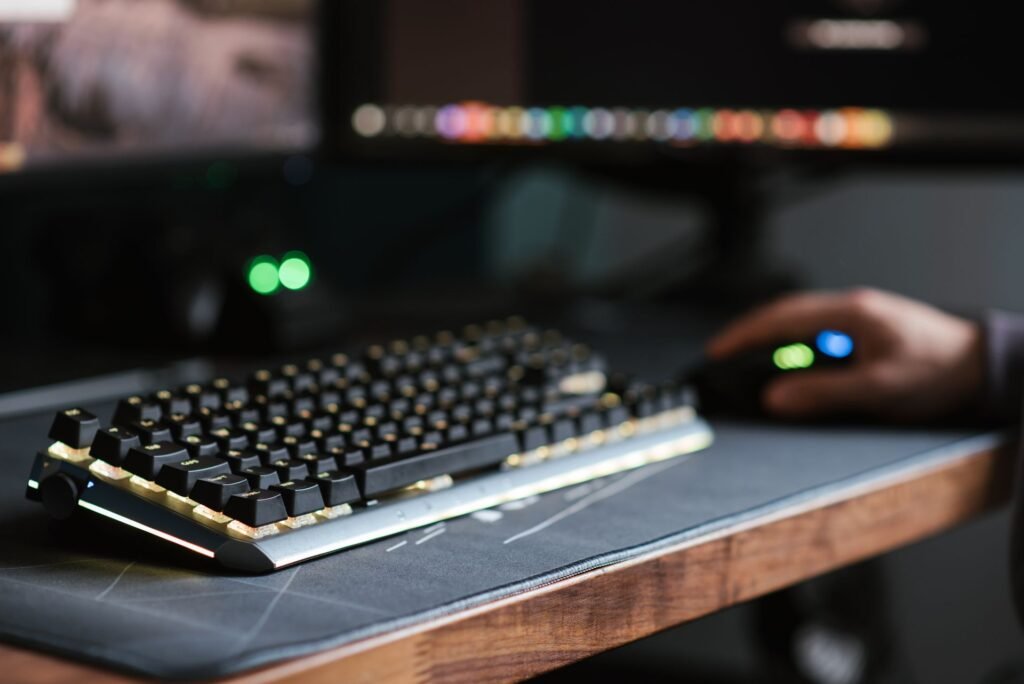
Nobody warned me that buying a gaming keyboard would feel like writing a dissertation. Spend thirty minutes on Reddit or YouTube and you’ll be buried under terms like “gasket mount,” “south-facing LEDs,” “5-pin PCB,” actuation force curves, and keyboard enthusiasts arguing with the passion of people who’ve had a genuine religious experience pressing a switch.
Here’s the thing — for most gamers, choosing a keyboard is actually pretty simple. There are three questions that matter. Everything else is enthusiast rabbit hole territory that you can explore later if you catch the hobby.
This guide cuts through the noise and tells you exactly what to look for in a gaming keyboard in 2026 — including the one switch technology that’s changed everything this year — without making you feel stupid for not knowing what “POM plate flex” means.
The Only 3 Questions That Actually Matter
Question 1: What do you mainly play?
This one question decides your switch type, which is the most important decision in the whole process.
- Competitive FPS (CS2, Valorant, Apex Legends) → You want Hall effect switches or linear mechanical switches
- Single-player games, RPGs, strategy → Any switch works, tactile switches feel great
- Mix of gaming and typing/work → Tactile switches are the most versatile
Question 2: What’s your budget?
- Under $50 → Membrane keyboard or budget mechanical
- $50-100 → Good mechanical keyboard, solid switches, reliable brands
- $100-200 → Premium mechanical with better build, wireless options
- $200+ → Hall effect switches, premium build quality, enthusiast tier
Question 3: Do you care about noise?
- Gaming alone, soundproofed room → Any switch including clicky
- Shared space, flatmates, office → Linear or tactile only, no clicky switches
- Microphone always on → Avoid clicky switches — they’re audible on stream
Answer those three questions and you’ve narrowed down 90% of the market already. The rest of this guide explains what those answers mean in practice.
Mechanical vs Membrane — The Real Difference in 2026
This debate has been settled, but it’s worth explaining why rather than just declaring a winner.
Membrane keyboards work through rubber domes under every key. You press a key, the dome collapses against the circuit board below, and the input registers when you complete the full keystroke. The springy resistance you feel is the dome pushing back.
Mechanical keyboards have an individual switch under every key. Each switch has a specific actuation point — usually around 2mm into a 4mm total travel — where the input registers. You don’t have to bottom out. The key is already sent.
For casual and single-player gaming, the performance difference is real but small. For competitive FPS — especially at higher ranks in CS2 or Valorant — the consistent actuation point and N-Key Rollover (every key registers simultaneously, no ghosting) of mechanical switches genuinely matters. Counter-strafing, weapon swapping, and rapid sequential inputs all benefit from a defined actuation point.
The price gap that used to make this a difficult decision has effectively closed. A solid mechanical keyboard from Keychron or Royal Kludge starts under $50 in 2026. A quality membrane gaming keyboard costs $30-50. The jump from membrane to mechanical is now a $10-30 difference — not the $100+ premium it used to be.
The honest verdict: If budget allows even a budget mechanical, get it. If you’re building a setup under $100 total and need to allocate carefully, a gaming membrane like the Corsair K55 or Razer Cynosa V2 is genuinely fine for non-competitive play.
The Switch Types — What They Actually Feel Like
Switch choice is the most personal part of the whole process. Here’s the practical breakdown:
Linear Switches — Smooth, No Bump, No Click
Linear switches go straight down with no tactile feedback and no audible click. Press and release. Nothing interrupts the keystroke.
Most competitive FPS players use linears because nothing slows down fast sequential inputs. Counter-strafing in CS2, rapid weapon swaps, quick ability cancels in Valorant — linears handle all of it without the hesitation a tactile bump can introduce.
Common examples:
- Cherry MX Red (45g) — the industry standard, reliable, widely available
- Gateron Yellow (50g) — smoother than Cherry Red, cheaper, great value
- Kailh Red (45g) — affordable alternative, similar feel to Cherry MX Red
The shortcut from an experienced community: if you game competitively and can’t decide, buy Gateron Yellows. They’re consistently rated as one of the best value linear switches and are smoother than Cherry MX Reds at a lower price point.
Tactile Switches — Feedback Bump, No Click
Tactile switches have a noticeable bump partway through the keystroke that tells your finger the input has registered — without the audible click. Great for people who want physical feedback while gaming and typing without disturbing anyone around them.
If you split time between gaming and actual work — writing, coding, general typing — tactile switches handle both better than linears. You get feedback on where the actuation point is, which makes long typing sessions noticeably more comfortable.
Common examples:
- Cherry MX Brown (45g) — the most widely used tactile switch, mild bump
- Boba U4T (67g) — heavier, more pronounced bump, popular with enthusiasts
- Gateron Brown (45g) — similar to Cherry MX Brown, slightly smoother housing
Clicky Switches — Tactile Bump Plus Audible Click
Clicky switches give you both physical feedback and a loud, satisfying click sound on every keystroke. They’re polarizing — people either love them or find them genuinely irritating, and the people around you will definitely have opinions.
If you game alone, live alone, and find the click sound motivating — clicky switches are genuinely enjoyable. If you’re ever on voice chat, streaming, or in the same room as another human being, skip them.
Common examples:
- Cherry MX Blue (50g) — the classic clicky switch, loud and satisfying
- Gateron Blue (50g) — similar to Cherry Blue, slightly smoother actuation
- Kailh BOX White (45g) — dust resistant design, crisp click mechanism
Hall Effect Switches — The 2026 Game Changer
This is the category that’s changed competitive gaming keyboards in 2026, and it deserves its own explanation.
Hall effect keyboards use magnets in the key stem instead of physical metal contacts. A sensor reads the magnet’s position across the full key travel with 0.01mm precision. Because there are no physical contacts to wear out, they last virtually forever.
The precision is what matters for gaming: you can set the actuation point anywhere from 0.1mm to 4mm through software. Set your WASD keys to 0.1mm actuation for instant movement registration. Set your grenade key to 3mm so you don’t accidentally throw while typing in chat. Different actuation points for different keys on the same board.
Rapid Trigger — the feature that resets the actuation point the moment the key starts traveling back up rather than waiting for it to return to the default position — allows faster counter-strafing inputs than any traditional mechanical switch can manage. At high CS2 ranks, this is a measurable competitive advantage.
Hall effect keyboards started under $40 in 2026 with options like the Gamakay NS68 at $39 — a price point that was impossible for this technology eighteen months ago. The Wooting 60HE and Razer Huntsman V3 Pro are the premium end of this category.
If you play competitive FPS seriously and you’re not on Hall effect switches, this is worth knowing about.
Keyboard Layouts — Size Actually Matters
Layout determines how much space the keyboard takes on your desk and whether you have certain keys at all. There’s no universally right answer — it depends on how you use the board.
Full-size (100%) — Has everything: number pad, function row, navigation cluster, arrow keys. Takes up significant desk space. Best for people who use the number pad regularly for work or who want every key available.
TKL (Tenkeyless / 80%) — Removes the number pad. Still has function row and arrow keys. The most popular gaming layout — gives you more mouse space without sacrificing keys you actually use during gaming.
75% — Removes some spacing and slightly compresses the layout while keeping function row and arrow keys. Popular with people who want a compact board without losing daily-use keys.
65% — Removes function row but keeps arrow keys. Very compact. Good for small desks.
60% — No function row, no arrow keys. Extremely compact. Preferred by some competitive players who want maximum mouse space. Everything accessed through key combinations.
For most gamers who also use their PC for anything else — the TKL is the sweet spot. More mouse room than full-size, all the keys you actually need during gaming, and no compromises for daily use.
The Features That Actually Matter (And The Ones That Don’t)
Pay attention to:
Hot-swap — Lets you pull out switches and replace them without soldering. In 2026, this should be considered non-negotiable on any board you buy. It turns your keyboard into a long-term platform rather than a disposable peripheral. Change your mind about switch feel? Swap them. Try different weights on different keys? Go for it. A $60 hot-swap board gives you more long-term value than an $80 soldered one.
N-Key Rollover (NKRO) — Every key pressed simultaneously registers. No ghosting, no missed inputs during intense gaming moments. Any gaming keyboard worth buying includes this.
Polling rate — How often the keyboard reports to your PC per second. 1000Hz (1ms) is the standard. Some Hall effect boards now offer 4000Hz or 8000Hz polling for even lower latency — genuinely useful at the top of competitive play, largely invisible at anything below.
Build materials — Plastic case keyboards are lighter and cheaper. Aluminum case keyboards are heavier, more rigid, and feel more premium. The difference in feel is real — but the difference in gaming performance is essentially zero. Buy plastic if budget is tight and use the savings elsewhere.
Ignore:
RGB lighting — Looks great in photos of gaming setups. Has no effect on performance. Don’t pay extra for it unless you genuinely want the aesthetic. A keyboard with less RGB and better switches is always the better buy.
“Gaming” branding — Any keyboard with switches you like is a gaming keyboard. The marketing around gaming-specific designs is mostly cosmetic.
Wrist rests included in the box — Usually cheap foam. Buy a separate one or skip entirely.
Budget Picks in 2026 — What to Actually Buy
| Budget | Pick | Why |
|---|---|---|
| Under $40 | Gamakay NS68 | Hall effect at $39 — best value in 2026 |
| $50-70 | Keychron C3 Pro | Reliable, hot-swap, great for beginners |
| $80-120 | Corsair K70 PRO TKL | Hall effect, 8000Hz polling, competitive-grade |
| $150-200 | Keychron Q5 Max | Aluminum case, gasket mount, premium feel |
| $150+ (Hall effect) | Wooting 60HE | The benchmark for competitive FPS keyboards |
One Thing Nobody Tells Beginners
Your first mechanical keyboard doesn’t need to be perfect. It’s a learning tool. You’ll use it for a few months, form opinions about what you like — maybe you want heavier switches, maybe you want more travel, maybe you hate how linears feel — and either keep it or make a more informed next choice.
The worst thing you can do is spend three months researching and never buy anything while you’re still gaming on a membrane keyboard wondering what you’re missing. Get something solid with hot-swap, try it for a few months, and let your actual experience guide the next decision. That’s worth more than any comparison guide, including this one.
If you’re completely paralyzed by choice: buy a hot-swap board in the $50-70 range with Gateron Yellow switches. It covers competitive gaming, daily typing, and leaves you room to experiment later.
For independent expert testing of every major gaming keyboard in 2026, RTINGS has the most comprehensive data available.
Final Thoughts
Choosing a gaming keyboard in 2026 comes down to three things: switch type, layout, and whether you want hot-swap. Everything else is secondary. Hall effect keyboards have changed the competitive landscape — if you play FPS games seriously, they’re worth understanding. For everyone else, a solid mechanical with linears or tactiles at the right layout covers everything.
The mechanical keyboard market has never offered better value than it does right now. Good boards start under $50. The technology that pros were paying $200+ for eighteen months ago is available for $39 today.
Get the right switches for how you play. Everything else will follow.
What keyboard are you gaming on right now? Let us know in the comments — and if you’ve recently made the switch from membrane to mechanical, we’d love to hear what the difference felt like.


Pingback: Best Budget Gaming Chair Under $300 in 2026: Tested and Ranked - GAME INSIDER PRO