
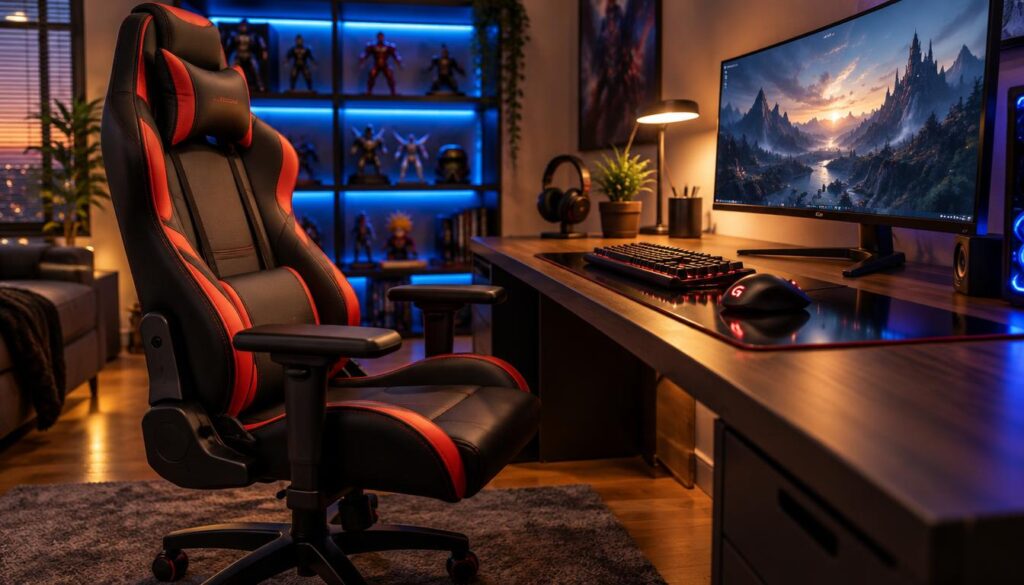
Players can spend hours at a desk, then only a few minutes choosing the chair beneath it. The Best Budget Gaming Chair Under $300 in 2026 helps narrow that choice, but the right chair depends on the person using it.
A suitable gaming chair needs to fit the reader’s body, desk, preferred posture, and spending limit. This roundup focuses on options at or below $300, and listed prices can change. Seat depth means the horizontal distance from the front edge of the seat to the backrest, which affects how much support the thighs receive.
A chair is one part of a gaming setup, alongside the screen, keyboard, and desk. Readers comparing other gear can also use this guide to choosing a gaming keyboard to match equipment with play style and budget.
The goal is a chair that suits daily use without stretching the budget. This roundup starts with a direct top pick, then covers other choices and the fit details that can change the decision.
Key Takeaways
- Check the current price against the $300 ceiling.
- Match seat size to the person, not just the room.
- Compare fixed lumbar support with adjustable designs.
- Choose upholstery and adjustments based on actual use.
- Review the exact chair configuration and return terms.
Which Chairs Make the Strongest Budget Shortlist?
The Razer Iskur V2 X is the provisional top pick when its current price stays at or below $300. The Corsair TC100 Relaxed, AndaSeat Novis, and Homall Gaming Chair also merit a look for distinct reasons.
These gaming chairs suit different budgets and preferences. The table gives shoppers a quick way to compare each design before checking exact size, features, and current price.
| Model | Stated design or fit distinction | Buyer to compare it for |
|---|---|---|
| Razer Iskur V2 X | Fabric with a built-in fixed lumbar curve | A buyer who prefers integrated back support |
| Corsair TC100 Relaxed | Wider seat and neutral look | A buyer seeking a less pronounced gaming style |
| AndaSeat Novis | Cold-molded foam and integrated lower-back contour | A buyer comparing molded foam and a fixed contour |
| Homall Gaming Chair | Entry-level positioning | A buyer setting a much lower spending limit |
Price ranges vary across listings and can shift with discounts or chair configuration. The Razer appears at the $300 boundary in one range, and at $249-$299 in another. Shoppers should compare its current price with the cap before deciding it qualifies.
The Corsair TC100 Relaxed appears around $160-$199 in one range and $180-$250 in another. The AndaSeat Novis appears around $219-$249, while the Homall Gaming Chair appears around $80-$99. These are approximate ranges, not guaranteed checkout prices.
Readers asking “What are the top 10 gaming chairs?” do not need a padded list. A useful shortlist should include only chairs with enough clear details for a fair comparison. A smaller set can make the trade-offs easier to see.
The Razer leads this initial group because its support shape and fabric are clear points to weigh against its price. The next section explains why it is the leading choice under the stated ceiling.
Best Budget Gaming Chair Under $300 in 2026: Which Chair Wins?
The Razer Iskur V2 X leads when its current price is below $300. It combines multi-layered fabric upholstery, a built-in lumbar curve, and simple adjustments for buyers who want a clear, ready-made support shape.
That fixed lumbar support is the main trade-off. The curve cannot move up or down, so it may suit a person who likes its position but frustrate someone who wants to personalize support.
The Iskur V2 X has 2D armrests, which move in two directions, and reclines up to 152 degrees. Those features allow some position changes without a complex adjustment system.
Its listed maximum weight is 300 pounds, and its maximum height is 79 inches. The backrest is 33.6 inches long, with a 20.1-inch width at shoulder level. The seat measures 22 inches wide at the point of contact.
Those figures can help shoppers judge whether the chair matches their bodies, but they do not guarantee a comfortable fit. Seat shape, desk height, and preferred posture still matter. The chair’s fabric also offers a different feel from smooth synthetic upholstery.
For this roundup, it is the best budget gaming chair 2026 when its price meets the cap and its fixed support suits the user. That recommendation rests on its listed features, not a promise that its price always stays below $300.
Buyers who need a different seat shape or a broader range of adjustments should compare the other shortlisted options. Their design differences may matter more than the Razer’s simple setup.
How Should a Gaming Chair Be Ranked?
Fit and support should outweigh a dramatic racing-seat look. A gaming chair can look bold yet miss the mark if its seat, back, or adjustment range does not suit its user.
A fair ranking compares stated features and fit points rather than relying on a familiar logo. These four checks help keep the decision grounded in how the chair will work at a desk.
Match and support matter more than styling
- Fit for the reader’s body and usual sitting position.
- Lumbar and back support that lands in a useful place.
- Useful adjustment range for desk work and breaks.
- Upholstery and construction suited to expected use.
Each point affects a different part of the experience. A seat that fits well may still feel wrong if the back support lands too high or low.
Adjustability and materials change the value
Adjustment matters when it solves a real problem, such as bringing armrests closer to desk height. Extra movement has little value if the owner never changes the setting.
Razer, Corsair, AndaSeat, and Homall each offer chairs with different features. No brand name alone proves that every chair from that brand is the best choice. Shoppers should compare each model’s design and fit.
This roundup weighs available specifications and stated evaluation points, rather than claiming firsthand tests. That approach keeps comparisons tied to features readers can check for their own use.
Styling can still matter to a buyer, especially when a chair shares space with work gear. It should come after fit and useful support, not replace them. The next decision is how much of the budget those features deserve.
Which Features Are Worth Paying For?
A buyer might pay extra for armrests that rarely move after setup. Features earn their cost when they solve a need the user faces often. That rule helps separate comfort gains from decoration.
A stable frame can make the chair feel steady during ordinary use. Supportive seat foam matters because the seat carries the user’s weight, while thin or poorly suited cushioning can feel tiring over long sessions.
Breathable upholstery can matter in a warm room, while adjustments help when the user changes between typing and relaxing. A feature that supports those regular habits may be more useful than a dramatic color scheme.
Some extras mainly change the chair’s look. Others, such as a pillow or added movement, may help one person but add little for another. The buyer’s own posture and daily routine should guide the choice.
Someone who sits for brief sessions may not need every added adjustment. A person using the chair for hours each day may notice seat foam, frame feel, and airflow more often.
Pay for the parts that affect comfort and use, not a long feature list by itself. A balanced purchase leaves room for a fit that works and avoids paying for changes the owner will not make.
Once the important features are clear, time spent in the chair and construction both shape a sensible budget. Price is the next part of that choice.
How Much Should a Budget Gaming Chair Cost?
A good gaming chair does not require spending the full $300. A shopper should spend enough for a suitable fit and useful features, then stop before the budget pays for extras they do not need.
Price can reflect construction, upholstery, and adjustability, while discounts can change the amount at checkout. The named options have appeared in different price ranges, so shoppers should compare the current configured price with the $300 ceiling.
| Spending tier | Likely compromise or advantage | Buyer it may suit |
|---|---|---|
| Under $100 | Lower cost, often fewer adjustments | A buyer with a strict budget |
| $100-$200 | More room to compare comfort and design | A buyer seeking a balanced everyday option |
| $200-$300 | More choice in support and materials | A buyer who values specific features |
These tiers describe broad choices, not promised quality or lifespan. A low price does not prove a chair will fail quickly, and a higher one does not guarantee a perfect fit.
How much should a good gaming chair cost? Spend only as much as needed for a workable fit and the adjustments that matter to the user. Someone who wants a fixed back contour may value a different chair than someone who needs more adjustment.
Price also changes with sales and the exact upholstery or size offered. The Razer Iskur V2 X has appeared at the $300 threshold, while listed ranges for the other named options vary.
Once the spending limit is set, the first fit question is whether the chair suits the reader’s body and desk.
What Size Chair Fits the User and the Desk?
A chair can fit the room yet have a seat that does not fit the person. Compare measurements with the user’s body instead of relying on a size label.
Seat width, seat depth, and height affect how a person sits at a desk. A seat that is too deep can press behind the knees, while a narrow seat can limit posture choices.
- Compare seat width with the user’s hips and usual sitting posture.
- Check seat depth against thigh length and the space behind the knees.
- Confirm the seat-height range works with the desk and foot position.
- Check the stated chair height and weight limits.
A size label does not show where the seat front lands on a particular person’s thighs. That is why seat depth deserves a close look, especially when the chair will support long desk sessions.
The chair also needs to work with the desk. If the seat rises too high, the user may struggle to rest both feet; if it sits too low, the desk may feel awkward.
Height and weight limits are product boundaries, not a substitute for trying to judge the chair’s shape. A user near a stated limit should pay close attention to the exact model details.
Dimensions are only the starting point. Once the body and desk appear to match, the next question is how the chair supports the lower back.
Which Lumbar Support Style Suits Different Sitters?
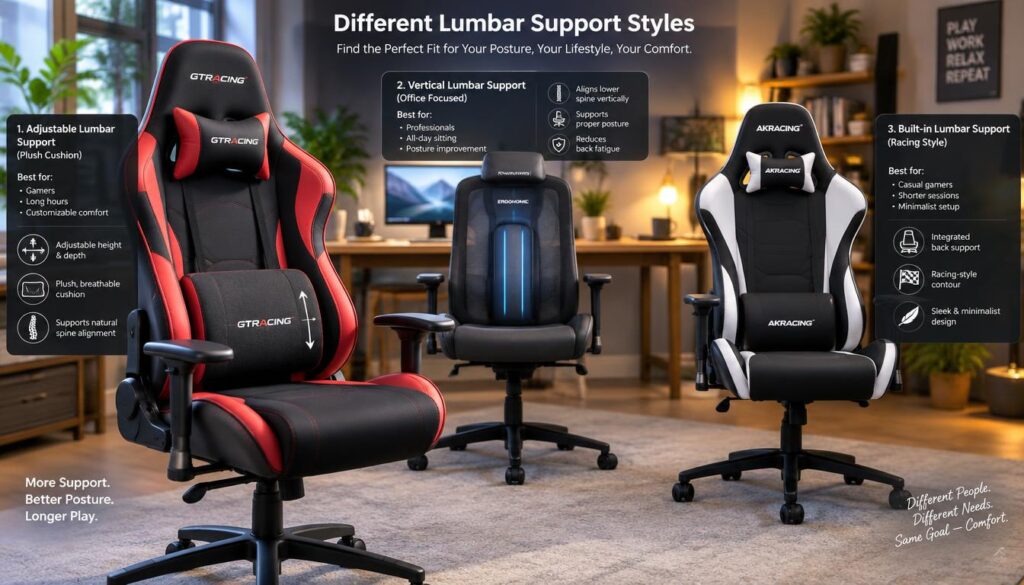
Lumbar support helps only when its position works for the person sitting in the chair. A fixed curve can suit someone who likes that placement, while an adjustable system allows more personal tuning.
Some users prefer a simple built-in shape. Others may share a chair or change sitting positions and benefit from more ways to move the support.
| Model | Lumbar style | Adjustment stated |
|---|---|---|
| Razer Iskur V2 X | Built-in lumbar curve | Non-adjustable |
| Cooler Master Hybrid 1 | Separate lumbar support | Height-adjustable |
| Secretlab Titan Evo 2022 | Integrated lumbar system | Four-way knob adjustment |
The Iskur V2 X’s fixed curve removes the need to position a separate cushion. That setup may feel direct for a user whose back meets the curve comfortably, but it offers little room to change placement.
The Cooler Master Hybrid 1 lets the user adjust lumbar support by height. The Secretlab Titan Evo 2022 uses a four-way knob-adjustable system, offering more ways to personalize the support position.
More adjustment does not guarantee a better fit. A simple fixed shape can work well for one person, while a shared chair may call for a wider adjustment range.
Choose the support style that fits the user’s back and daily habits. No chair should be treated as a medical fix, and a model’s support feature does not promise relief from pain.
After back support, armrests, recline, and other daily adjustments help shape how the chair works through a session.
Which Adjustments Matter for Long Sessions?
A user may type at a desk, then lean back during a break. The most useful adjustments help the chair move between those positions without making desk work awkward.
Adjustment needs vary with desk height, posture, and how often the user changes position. These four controls are worth checking before a buyer pays for extras.
- Seat height for a useful position at the desk.
- Armrest height and direction for keyboard and mouse use.
- Recline range for leaning back during breaks.
- Tilt or rocking control for movement while seated.
Two-dimensional armrests usually move in two directions, while 4D armrests move in four. More movement can help a user find a preferred position, but it is not automatically better.
For example, a person may want armrests that move inward for close mouse use. Another may prefer a simpler setup that stays in place after adjustment.
A recline that feels good during a break may not suit upright typing. The chair should support the posture used most often, rather than making a relaxed position the only comfortable one.
Tilt and rocking controls can change how freely the backrest moves. A user who prefers steady support may want a different feel from someone who likes to shift often.
Prioritize the controls the user will adjust during ordinary sessions. Once those needs are clear, upholstery can affect comfort through those same hours.
Is Fabric, Mesh, or Leather Better for a Gaming Chair?
A warm room may call for airflow, while a shared space may reward quick cleaning. Choose upholstery by balancing feel, airflow, and how the chair will be cleaned.
Fabric, mesh, and synthetic surfaces each feel different in use. The table compares common traits, while specific models can offer more than one upholstery configuration.
| Material | Airflow and feel | Cleaning consideration and use case |
|---|---|---|
| Fabric | Soft feel, airflow varies by weave | Less wipe-clean; suits buyers who prefer a cloth feel |
| Mesh | Open structure favors airflow | Check cleaning care; suits warm rooms |
| PU or leatherette | Smooth synthetic surface | Often easier to wipe; suits buyers who value quick cleanup |
The Razer Iskur V2 X uses multi-layered fabric upholstery. The Cooler Master Hybrid 1 combines a mesh back with perforated PU leather, offering two material types in one chair.
The Secretlab Titan Evo comes in fabric or leatherette upholstery. The exact option matters, so shoppers should check the configuration rather than assume every version uses the same material.
Fabric is generally less wipe-clean than a smooth synthetic surface. Mesh favors airflow, though the chair’s full design and the room still affect how warm it feels.
There is no single best material for every gaming chair. A buyer who spills drinks often may value simple cleaning, while a warm room can make airflow a higher priority.
Material choice is one part of the decision. The broader comparison is whether a gaming chair or office chair suits work and play better.
Is a Gaming Chair Better Than an Office Chair?
Either a gaming chair or an office chair can work, depending on posture and preferred movement. A racing-style seat often suits buyers who want a pronounced recline, while a task chair may suit upright desk work.
Three questions can help a shopper compare styles without assuming one type always wins.
- Does the user prefer a pronounced recline?
- Does the user need an upright posture for desk work?
- Will the chair be shared between work and gaming?
The phrase “Herman Miller gaming chair” can describe a gaming-branded collaboration built on task-chair design. It does not always mean a racing-style seat.
The Herman Miller x Logitech G Vantum combines a suspension backrest and adjustable lumbar support with an active, forward-leaning alignment. It does not recline like a typical racing-style chair.
The Herman Miller x Logitech G Embody is an ergonomic task chair with a gaming-focused colorway. The Steelcase Karman is a mesh task chair with a weight-activated design and limited adjustments.
These examples sit outside the sub-$300 shortlist, but they show how gaming and office designs can overlap. A work chair may suit a person who values upright posture, while someone else may prefer a stronger recline.
The best type depends on how the chair will be used most. For shoppers seeking one chair for work and gaming under $200, the Corsair TC100 Relaxed is a mid-range option to compare.
What Is the Best Gaming Chair Under $200?
The Corsair TC100 Relaxed is a candidate for the best gaming chair under $200 if its current price remains below that limit. Its wider seat and neutral look may suit a hybrid work-and-gaming setup.
Those design points can appeal to someone who wants a chair that feels less like a racing seat at a work desk. They do not replace a check of the seat dimensions against the user’s body.
The Corsair has appeared in price ranges that vary between listings. Its current price may cross the $200 ceiling, so shoppers should compare the exact model and configuration with their limit.
A wider-looking seat does not guarantee a fit for every body. The user should still compare seat width and depth, then consider whether the chair’s look suits the room.
For desk use, neutral styling can make the chair easier to pair with work gear. A buyer who games and works in the same space may prefer that look over more dramatic styling.
The seat’s shape and the way it fits matter more than a product label. A chair that is under budget but uncomfortable to sit in is not a useful bargain.
Confirm the current price stays under $200 before treating it as the pick for that budget. Shoppers whose spending limit is lower than $200 can look at the Homall as a low-cost candidate.
What Is the Best Gaming Chair Under $100?
The Homall Gaming Chair is a low-cost candidate, not a universal best choice. Its listed price range has been about $80-$99, but the current price and configuration can differ.
At this price level, shoppers may find fewer adjustments than on higher-cost chairs. That does not make the chair a poor choice for everyone, but it makes fit and product terms especially important.
Buyers should compare its dimensions with their own measurements before ordering. A chair that looks suitable online may have a seat that feels too narrow or deep once assembled.
Foam and cushion shape can affect how the seat feels during a gaming session. Product photos alone do not show how a particular user will fit the chair.
Compare the current price, dimensions, and return terms before buying. A low price can be appealing, but it should not outweigh a poor fit or difficult return policy.
Some shoppers may accept fewer controls to keep costs down. Others may prefer to wait, compare another model, or choose a chair with adjustments they will use often.
Even at a tight budget, the user’s size and posture should guide the choice. Buyers who need a different balance of back support and seat design can compare other alternatives.
Which Other Models Are Worth Comparing?
The Cooler Master Hybrid 1 and AndaSeat Novis suit buyers who prioritize a different seat or back design. Compare their features with the user’s fit needs, then check each model’s current price against the $300 ceiling.
Neither design is a sure fit for every person. Their materials and support shapes give shoppers more points to weigh beside the leading choice.
Cooler Master Hybrid 1 for a breathable back and adjustable lumbar
The Cooler Master Hybrid 1 pairs a mesh back with perforated PU leather. That combination may appeal to someone who wants an open back design with a separate, height-adjustable lumbar support.
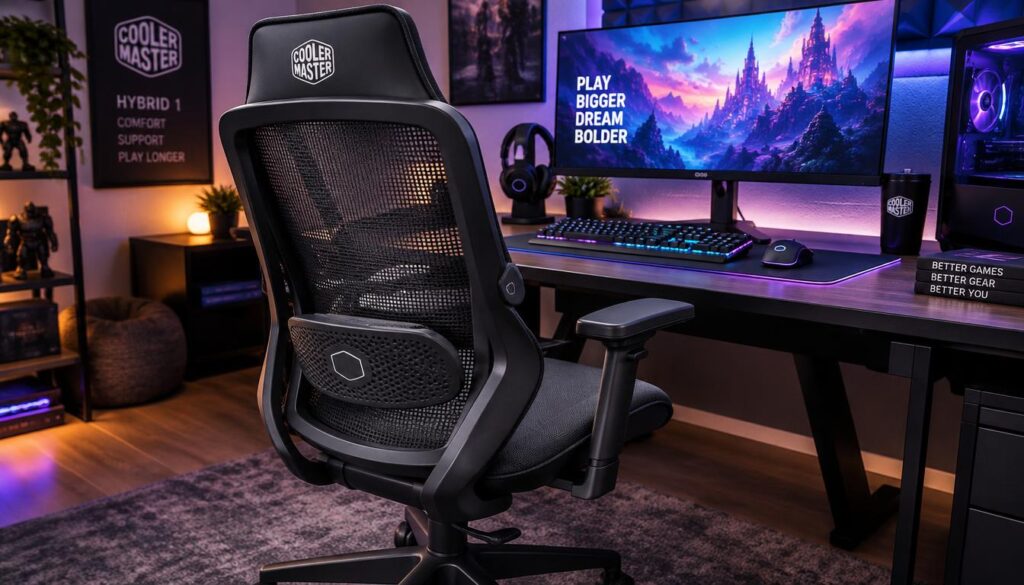
Its seat measures 24 inches wide at the point of contact. The stated maximum weight is 330 pounds, and the stated maximum height is 6 feet 3 inches.
The chair reclines to 180 degrees, which may appeal to a user who wants a flatter position during breaks. That position may not suit someone who spends most of the day typing upright.
AndaSeat Novis for a molded-foam seat and integrated lower-back contour
The AndaSeat Novis uses cold-molded foam and an integrated lower-back contour. Those details may interest buyers comparing a shaped seat with built-in support rather than a separate adjustable system.
Shoppers should check the current price of both models against their spending limit. The Novis’s listed price range can change, and the Hybrid 1’s cost should not be assumed from its features.
Seat width, back design, and recline preference can make either model worth comparing. A buyer should also confirm the exact version and terms before deciding.
After comparing these alternatives, the next question is whether a footrest adds value to the user’s sitting style.
When Is a Footrest Useful With a Gaming Chair?
A footrest mainly helps when a user reclines or relaxes. During active typing or gaming, the user’s feet should rest on the floor for stable desk posture.
Some chairs include a footrest, while others sell one separately. The feature can support a laid-back break, but it should not force the user to sit too far from the desk.
Someone searching for the best gaming chair with a footrest should confirm whether the footrest comes with the chair or costs extra. That detail can change the total price and the value of the package.
A footrest may be handy during a long gaming session with planned breaks. It is less useful if the user keeps it extended while trying to reach a keyboard and mouse.
The user should check whether the footrest stores away neatly. An extended bar can take up room or get in the way when the chair sits close to a desk.
Foot support matters during active play, too, but the floor often gives a steadier position. A separate footrest can help when the desk or chair height leaves the feet unsupported.
Choose the feature for relaxed reclining, not as a substitute for a good desk position. Before ordering, check fit, current price, and the exact product terms.
What Should Buyers Check Before Ordering?
Just before checkout, one missed detail can turn a promising chair into a poor fit. Check the exact configuration, fit limits, price, and purchase terms before placing an order.
A model name can cover different sizes or upholstery choices. The details on the exact item matter more than a photo of another version.
- Compare the chair’s dimensions with the user’s measurements.
- Check the stated weight and height limits.
- Compare the current configured price with the budget.
- Confirm which upholstery and accessories come with the chair.
- Review assembly, return, and warranty terms.
Assembly can affect how much effort the chair takes to set up. Return terms matter if its shape feels wrong after assembly, so shoppers should know the rules before purchase.
Upholstery choices may change the product price or the feel of the chair. Accessories such as a footrest or pillow may be sold separately rather than included.
Shipping charges can also affect the total paid. A chair listed below the budget may exceed it once delivery or required add-ons enter the final cost.
Use the checklist to match the purchase to the user’s measurements and spending limit. Then sort the remaining options by the feature that matters most each day.
Which Chair Fits Each Setup and Sitting Style?
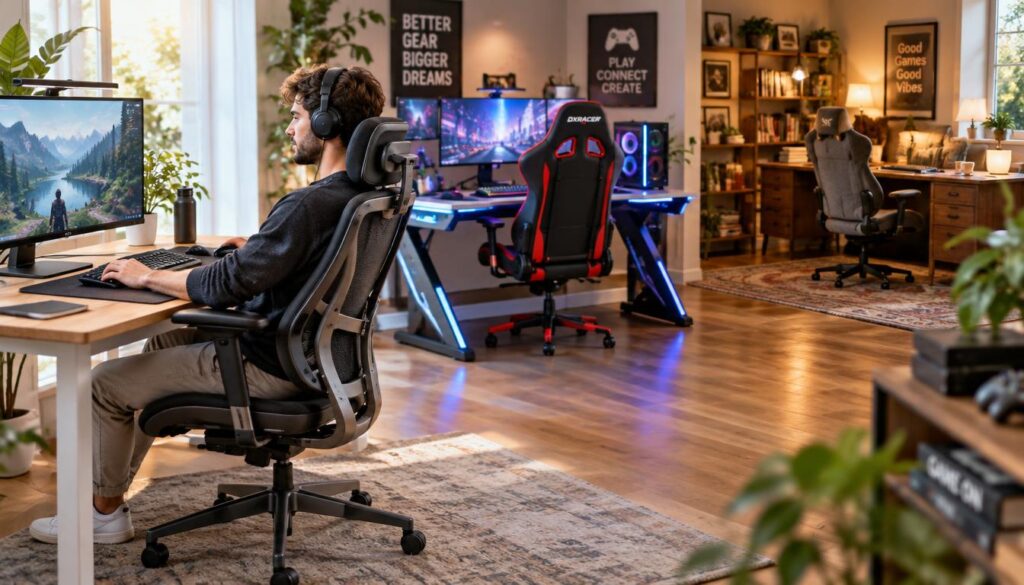
Two buyers can want very different gaming chairs: one may value built-in lumbar support, while another wants a wider-looking seat. The best choice follows the user’s main need and current budget.
These buyer profiles can help narrow the shortlist without treating one chair as right for everyone.
- Daily use with built-in lumbar preference: compare the Razer Iskur V2 X.
- Hybrid work and gaming with a wider-looking seat: compare the Corsair TC100 Relaxed.
- A tighter budget: consider the Homall Gaming Chair.
- A mesh back or flatter recline preference: compare the Cooler Master Hybrid 1.
The Razer’s fixed lumbar curve suits users who like its placement, while the Corsair offers a wider seat and more neutral look. Each still needs to fit the user’s body and desk.
The Homall is a lower-cost candidate, but shoppers should compare its dimensions and current price. The Cooler Master Hybrid 1 offers mesh at the back and reclines flat, but its exact price matters.
The AndaSeat Novis may also suit buyers who prefer cold-molded foam and an integrated lower-back contour. Its current price should meet the buyer’s chosen ceiling.
Confirm that the current price of any candidate meets the spending limit. Prioritize fit first, then the feature that matters most in everyday use.
Conclusion
The best chair depends on fit and the features the user will use most. The Razer Iskur V2 X leads this roundup when it fits the user and its current price stays below $300.
A different seat shape, upholstery, or lumbar adjustment can make another model a better personal choice. The right fit matters more than choosing a familiar brand or using the full budget.
The next step is concrete: measure the user’s body and desk space, then check the chair’s current configured price and terms.
FAQ
What is the most comfortable gaming chair in 2026?
No single gaming chair is the most comfortable for every person. Comfort depends on seat width, seat depth, upholstery, and where lumbar support meets the back. A seat that works for one user may feel too narrow or deep for another. Shoppers should compare those points with their own measurements and preferred posture before choosing a model.
What is the best gaming chair on a budget?
The Razer Iskur V2 X is this roundup’s leading budget pick when its current price is below $300. Its built-in lumbar support gives the back a fixed curve, which suits buyers who like that position. The support does not adjust, so someone who needs to move it should compare another design. Price and fit both affect the recommendation.
What is a good, super cheap gaming chair?
The Homall Gaming Chair is a low-cost candidate for shoppers who need to spend less. Its listed price range has been about $80-$99, though current prices can differ. Before ordering, buyers should check the exact dimensions against their bodies, confirm the current price, and read the return terms. A low cost cannot make up for a poor fit.
What is the #1 gaming chair?
There is no universal number-one gaming chair because users differ in size, posture, and preferred features. The Razer Iskur V2 X is this roundup’s budget pick when its current price stays below $300. That price limit separates it from premium options, and its fixed lumbar curve will not suit everyone. Buyers should compare fit before brand rank.
Where can I find the best gaming chair at the lowest price?
Compare the current configured price across sellers, including shipping and any required fees. A low listed price may not reflect the total cost if a footrest, pillow, or other accessory is sold separately. Return terms also matter, since a chair that does not fit may need to go back. Check that the exact model and upholstery match the listing.
How much should a good gaming chair cost?
A good gaming chair does not need to use the full $300 budget. A practical rule is to spend enough for a workable fit, useful support, and adjustments the user will make. Lower-cost chairs may offer fewer controls, while higher prices can reflect different materials or construction. The user should pay for needs, not unused features.
What is the best gaming chair under $300?
The Razer Iskur V2 X is the leading choice if its current price is below $300 and its shape fits the user. Its lumbar support is built in but not adjustable, which is the key trade-off. Buyers who prefer a different seat shape, upholstery, or support position should compare the Corsair, AndaSeat, or Cooler Master options.


Pingback: Best Gaming Chair Under $300 in 2026, Tested and Ranked - GAME INSIDER PRO