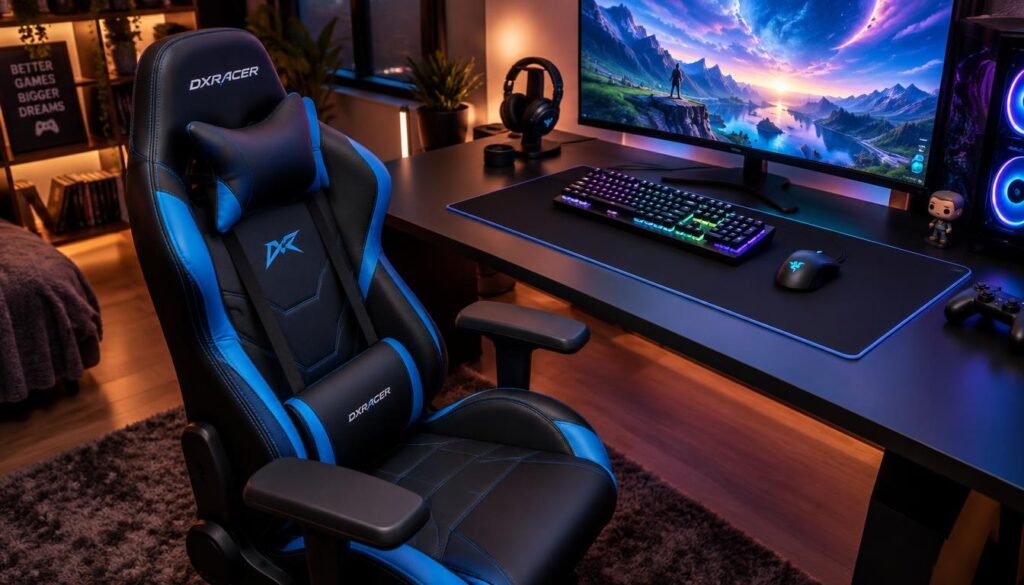
A chair that looks right in a gaming setup can still feel wrong after several hours at a desk, even when sold as a gaming chair. Long gaming sessions put more pressure on fit and support than a chair’s style suggests.
This roundup compares gaming-style and task-style options within a $300 budget. It weighs documented features and fit, not firsthand testing by the writer, and does not treat every model as having a confirmed current price.
Comfort depends on how a chair fits the person and which adjustments help them sit. A lower price can make a chair appealing, but it cannot make a poor fit comfortable.
Use the ranking as a starting point, then compare measurements and current listing terms with the space and budget available.
Key Takeaways
- Fit matters more than gaming style alone.
- The Razer Iskur V2 X leads this budget-focused comparison.
- The five options serve different needs, from reclining breaks to desk work.
- Check dimensions, adjustments, and the actual checkout price.
- A capacity or test rating does not prove personal comfort.
Best Gaming Chair Under $300 in 2026: Tested and Ranked
The Razer Iskur V2 X is the clearest starting point for buyers who want a gaming-style chair with built-in lower-back support and a firm $300 ceiling. It leads this price-focused ranking for the broadest range of buyers.
The best gaming chair in 2026 for this shortlist is not automatically the best chair at any price. Each option answers a different need, and fit still matters more than its place in the ranking.
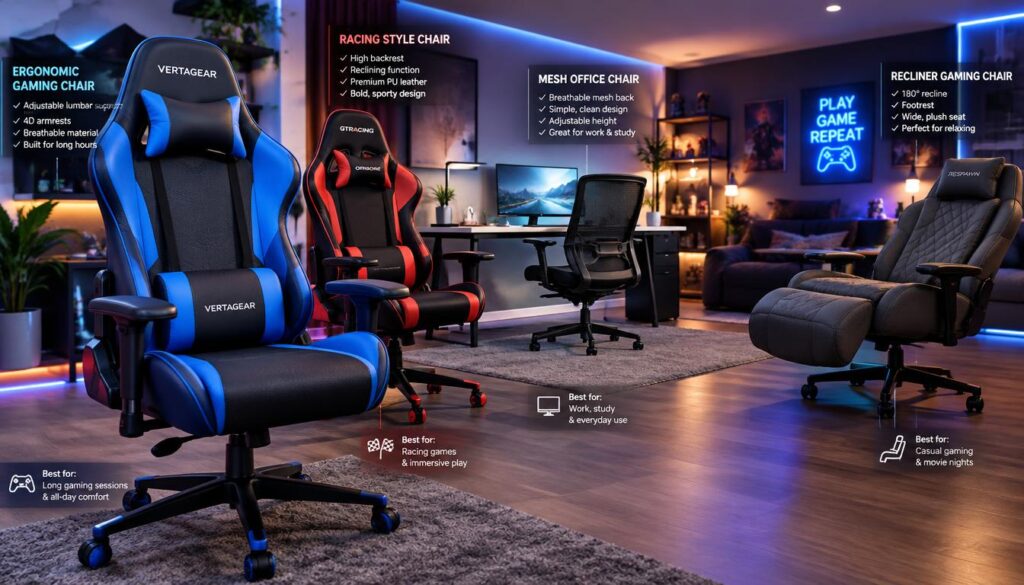
| Model | Best suited to | Main reason to shortlist | Main trade-off |
|---|---|---|---|
| Razer Iskur V2 X | Fit-first buyers | Built-in lumbar support | Support does not adjust |
| Secretlab Titan Evo 2022 | More customizable setups | Size and adjustment choices | Configured price may exceed the limit |
| Dowinx Heavy Duty Series MB33 Pro | Reclining breaks | Extendable footrest | Fewer stated adjustment details |
| GTRACING Cozy Series GT205 | Adjustment-focused buyers | Adjustable lumbar pillow and footrest | Test marks do not confirm fit |
| Amazon Basics Ergonomic Chair | Desk-task use | Basic height and tilt controls | Listed features do not cover every support need |
The shortlist includes gaming chairs with very different shapes and functions. The Amazon Basics model takes a task-chair approach, while the others focus more on gaming design or reclining features.
Use the table to narrow the shortlist, but confirm the individual chair’s fit and current price before treating it as a match.
What does tested and ranked mean here?
The ranking is a feature-and-fit assessment, not a claim that the writer sat in every model. The writer did not personally test these chairs.
The comparison uses stated specifications, fit considerations, and independent product testing where available. That approach can help readers compare build quality, features, and likely use, but it cannot predict every person’s comfort.
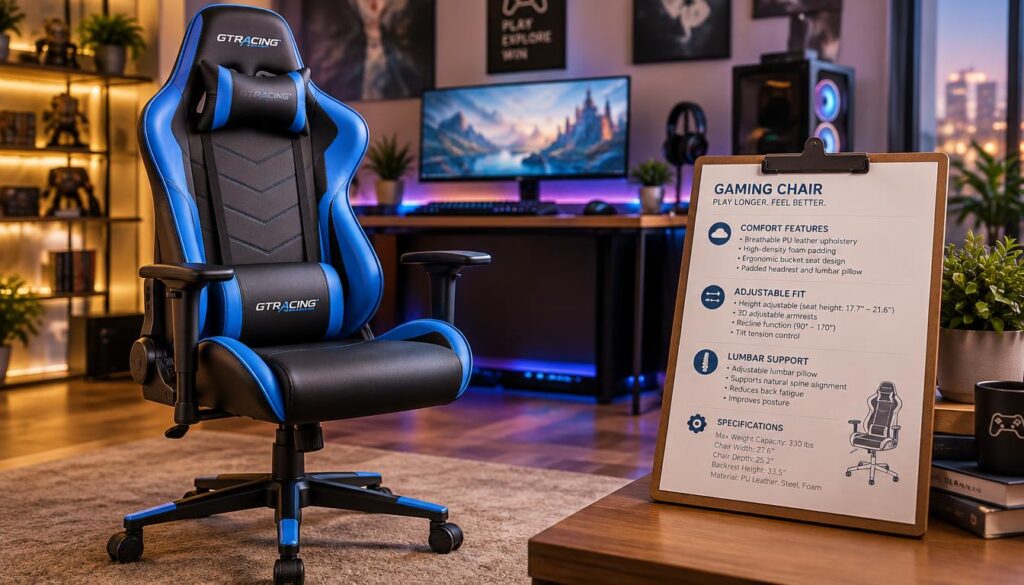
A measured feature is different from a comfort conclusion. A recline angle describes how far a backrest moves, while comfort depends on the person, desk, and sitting position.
Independent testing can offer useful information about quality or durability, but it does not replace an individual fit check. A chair may have strong materials and still feel wrong to a particular user.
Maximum capacity and recline figures also have limits as buying clues. Capacity sets a stated upper limit, and recline shows movement, but neither proves that the seat, backrest, or support suits someone.
A listed maximum capacity is a limit to check, not a substitute for a seat that fits.
How should a chair fit for long gaming sessions?
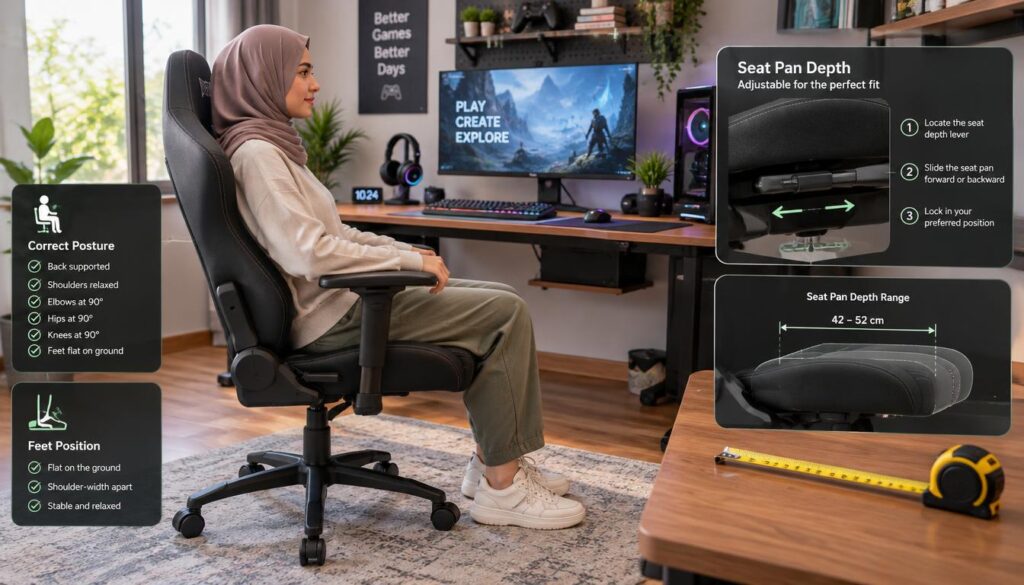
A useful fit check starts with the hips, the backs of the knees, and the feet on the floor. The most comfortable gaming chair for long hours is the one that fits the user’s body and sitting position.
The seat pan is the horizontal surface of a chair that supports the seated person, measured by its width and front-to-back depth. Check it before judging a chair by its styling or label.
Check seat width, depth, and height
Cornell guidance says a seat pan should be at least 1 inch wider than the hips on either side. This leaves room without forcing the person against the sides.
For depth, compare the seat’s front edge with the backs of the knees. Cornell advises a seat short enough to avoid pressure behind the knees.
Seat height should let the feet rest flat, with knees level with or slightly below the hips. A footrest may help if the chair otherwise fits well.
Match the fit to the person, not the chair label
Body size and sitting position differ, so a label such as “big and tall” cannot answer every fit question. The seat pan and backrest should suit the person who will use them.
Compare measurements with the user’s body and the desk setup. A chair that fits at a showroom or in a listing photo may feel different at home.
For more seat width, depth, and height guidance, use the same checks across every candidate. If the seat edge presses behind the knees or the feet dangle, treat the size as a mismatch.
Does adjustable lumbar support prevent back pain?
Adjustable lumbar support gives users more control over where the chair meets the lower back, but it is not a back-pain cure. Research does not support buying a chair as a way to prevent or treat low-back pain.
A Cochrane review found moderate evidence that lumbar supports do not prevent low-back pain. It found limited evidence that they outperform no treatment for it.
What research says about lumbar support
A five-week study of 123 office workers found preferred lumbar-support height and depth across both ends of the adjustment range. Preferred height also tracked body-mass index.
Those results point to a practical issue: users do not all want support in the same place. An adjustable lumbar feature can help someone change its position, but it cannot guarantee comfort.
Why adjustment range matters
Buyers can check four things before choosing adjustable lumbar support:
- Whether the support moves.
- Whether it can be set for the user’s back.
- Whether it stays in place during use.
- Whether it feels comfortable in a normal sitting posture.
These checks apply to built-in systems and separate cushions. The support should feel useful during ordinary desk work, not only during a quick test.
Buyers with persistent pain should treat chair features as a comfort choice, not a substitute for qualified medical advice.
Which materials make sense for a gaming setup?
Upholstery changes how a chair feels against the body and how much attention it needs between sessions. No material is automatically the most comfortable for every person.
Room temperature, cleaning needs, and how long someone sits can all shape the choice. Materials also affect the look of a gaming setup, but appearance alone says little about comfort.
| Material or construction | Typical feel or airflow | Care consideration | Useful situation |
|---|---|---|---|
| Fabric | Soft feel; airflow varies | May need more effort to clean | Rooms where breathability matters |
| Mesh | Open weave can allow airflow | Check for dust and snagging | Warmer rooms or users who prefer airflow |
| Leatherette | Smooth surface; airflow varies | Wipe surface as needed | Users who want a sleek look |
These are broad material traits, not guarantees for every chair. Foam, upholstery thickness, and the chair’s design can change how a surface feels.
Razer describes Iskur as focused on ergonomic adjustability and posture support, Enki on weight distribution, and Fujin on breathable mesh construction. Those different design aims show why product lines within one brand may suit different preferences, not that one line performs better.
Choose the material for the room and the person using it, not only for its appearance on camera.
Is the Razer Iskur V2 X the best all-around choice?
At a listed $300, the Iskur V2 X offers a direct feature set for buyers who prefer built-in support over repeated tuning. It is the best all-around choice here for buyers who want simple support and a deep recline.
Tom’s Hardware lists the Razer Iskur V2 X at a retail price of $300 in its 2026 gaming-chair guide. That is a listed retail price, not a promise of the current offer at checkout.
Support and adjustments
The Iskur V2 X has 2D armrests and built-in lumbar support. Its lumbar support is fixed, so the user cannot move it up, down, forward, or back.
That simple design may suit a buyer whose back meets the support comfortably. A user who needs a different support position should consider an adjustable lumbar system instead.
The chair has a maximum weight capacity of 300 pounds and a maximum height limit of 79 inches. Those limits help screen for fit, but they do not confirm that the seat and backrest suit a person.
Recline, size limits, and fabric trade-offs
The backrest reclines up to 152 degrees. Its usual sitting angle is about 100°-110°, which gives the chair a more upright position for ordinary desk use.
Fabric upholstery is more breathable than faux leather, but it is harder to clean. Buyers should weigh that trade-off against their room and how they use the chair.
The 2D armrests offer less movement than 4D designs. They may still work for someone whose desk and arm position do not call for more adjustment.
Check that the fixed lumbar curve meets the user’s back before choosing it over an adjustable design.
When does the Secretlab Titan Evo 2022 make more sense?
A buyer who needs more size choices or more control over the backrest may prefer the Titan Evo’s broader adjustment range. It is worth comparing when the selected configuration’s current total meets the buyer’s limit.
The Secretlab Titan Evo 2022 is not automatically under $300. Size, upholstery, and color choices can affect the configured model, so the checkout total matters.
Size and upholstery choices
The Titan Evo 2022 comes in three sizes for users from 4 feet 11 inches to 6 feet 9 inches. Its stated maximum capacity is 395 pounds.
Those figures offer a wider stated range than many single-size chairs, but they do not guarantee personal fit. The user still needs to check the seat, backrest, and desk position.
Buyers can choose from several sizes, upholstery types, and colors. That can help match a chair to the user or room, but each choice may affect the final price.
Recline and adjustment range
The backrest reclines from 85° to 165° and can lie fully flat. That range suits buyers who want more than a modest lean during breaks.
The chair has four-way adjustable lumbar support and 4D armrests. The lumbar system offers more control over position, while the armrests move in more directions than 2D designs.
The extra options can be useful when the chair needs to fit a specific body or setup. They also make it important to compare the exact configuration rather than relying on the model name alone.
Compare the chosen size and upholstery configuration against the actual checkout total before deciding it fits the budget.
Does the Dowinx MB33 Pro suit reclining breaks?
The MB33 Pro is the clearest fit in this roundup for someone who wants a footrest built into the chair’s use case. It suits buyers who value reclining breaks between play or work.
The Dowinx Heavy Duty Series MB33 Pro backrest adjusts from 90° to 145°. It also has an extendable footrest for leaning back during a break.
Recline and footrest
The recline range covers upright sitting and a deeper lean. The footrest adds a way to stretch the legs, though it may not suit someone who rarely reclines.
The chair uses high-density foam and breathable knitted fabric. These features describe its materials, but they do not establish how firm or comfortable it will feel to each person.
The MB33 Pro’s focus differs from chairs built around broad armrest or lumbar adjustment. Buyers should consider whether a footrest matters more than those controls.
Materials and listed service terms
The product listing specifies a 4-grade gas lift, a 30-day return policy, and a 1-year repair service. These terms apply to that listing, not necessarily every seller or purchase.
A gas-lift grade is one detail to compare, while the return and repair terms affect what happens after purchase. The listed service period does not show every condition that may apply.
Buyers should check the seller, order details, and current policy before relying on those terms. A return window can also have conditions that shape whether a chair qualifies.
Confirm the specific order’s return and repair terms before relying on them.
What does the GTRACING Cozy Series GT205 add?
The GT205 combines several adjustable parts with a listed gas-lift test rating. It stands out for buyers who want a separate adjustable lumbar pillow, adjustable footrest, and tested base.
The GTRACING Cozy Series GT205 has a 10-centimeter height-adjustment range and reclines from 90° to 135°. It also has an adjustable footrest.
Height, recline, and lower-back adjustment
The chair uses an adjustable lumbar pillow rather than a fixed built-in curve. That gives the user a separate piece to position against the lower back.
The 90°-135° recline range allows a more upright posture and a moderate lean. The footrest adds another option for breaks, though neither feature proves the chair fits a specific body.
Capacity and base testing
The listed weight capacity is 300 pounds. Its gas lift is SGS-3-tested for 120,000 or more lifts, and the base is BIFMA-tested.
Those test designations describe stated testing, not personal comfort or guaranteed future performance. A tested part can still feel wrong or wear over time.
The multiple controls may appeal to someone who wants more ways to adjust the chair. Buyers should still compare its shape and measurements with the intended user.
Match the listed capacity and chair dimensions to the intended user rather than treating testing marks as a fit check.
Can an Amazon Basics Ergonomic Chair work for gaming?
A task-style chair can work for gaming when its basic desk adjustments suit the person using it. Flip-up armrests, height and tilt adjustments, and a 360-degree swivel can cover common desk needs.
The Amazon Basics Ergonomic Chair appears in an under-$200 guide, but that mention does not promise its current price. A listing or configuration can change the amount a buyer pays.
Flip-up armrests may help when a desk or playing position needs more room. Height and tilt controls can also suit desk gaming if they match the user’s preferred posture.
A task chair may appeal to buyers who want a simpler look than many gaming chairs. Its label alone, though, does not say how much lumbar support or recline it provides.
The named feature set does not establish lumbar adjustment, upholstery, or maximum capacity. Buyers should not assume those details from the word “ergonomic.”
Check the specific model listing for dimensions and support details before assuming the chair includes features not named here.
Which adjustments should buyers compare before paying?
Compare the movement each adjustment allows, not just the number of adjustment dimensions in a product name. Seat height, armrests, backrest recline, and lumbar support are the four practical areas to check.
Names such as 2D and 4D describe different levels of armrest movement. The actual directions of adjustment should still be checked on the individual chair.
| Adjustment area | What to check | Why it matters |
|---|---|---|
| Seat height | Usable range at the desk | Supports a workable foot and knee position |
| Armrests | Movement directions and range | Helps place arms for the user and desk |
| Backrest recline | Angle range and control | Sets the available sitting and resting positions |
| Lumbar support | Fixed or adjustable position | Shows whether lower-back contact can be changed |
A product may list several adjustments, yet the range may not work for a particular setup. The useful question is whether the controls reach a position the user can hold comfortably.
Use this checklist while comparing models:
- Confirm the usable height range.
- Check whether armrests move in the needed directions.
- Test the recline control.
- Determine whether lumbar support adjusts or stays fixed.
A feature that cannot be positioned comfortably is not useful just because it appears on a specification list.
What should buyers verify about warranties and returns?
A longer warranty is useful only when its covered parts and repair conditions match the buyer’s expectations. Warranty duration and covered parts can differ by product line.
Razer says Enki and Soma chair lines have three-year warranties for mechanisms and moving parts. Razer also says Iskur V2 series warranties can be extended to five years total.
Compare the coverage terms
Razer says Fujin chairs offer up to five years of warranty coverage across different chair parts. Those terms apply to Fujin, not every chair from the brand.
Coverage can vary within a brand, so the model name and covered parts matter. Buyers should read the terms for the exact chair rather than compare warranty length alone.
The best gaming chair brand cannot be chosen by warranty length alone. Scope, exclusions, and the exact model also shape the value of coverage.
Check repair and return conditions
The Dowinx MB33 Pro listing specifies a 30-day return policy and a one-year repair service. Those stated terms may not apply to every seller or order.
Buyers can use four checks when reviewing purchase terms:
- Coverage period.
- Parts excluded from coverage.
- Who handles repairs.
- Return conditions.
A clear policy helps buyers know what to expect if a part fails or the chair does not suit them. Save the exact model’s written terms with the purchase record.
How can buyers find the best gaming chair under $200?
Buyers looking for the best gaming chair under $200 should treat the price ceiling as a condition to verify, not a model guarantee. The Amazon Basics chair, Dowinx MB33 Pro, and GTRACING GT205 are candidates to check against that limit.
These models appear in under-$200 buying content, but no exact current price is established here. The current price and configuration must be confirmed at purchase.
Compare budget options by fit
The best cheap gaming chair under $300 in 2026 is the model that fits the user while staying below the actual spending cap. Not every chair on this shortlist will meet that cap.
The best gaming chair under $200 and the best budget gaming chair in 2026 may differ by need. One buyer may favor fit, another recline, and another basic desk adjustments.
Feature count does not prove value if key controls are hard to use or the seat does not suit the person. A lower price only helps when the chair works in the intended setup.
Keep the price ceiling real
Use this three-step shortlist method:
- Set the total budget.
- Eliminate sizes that fit poorly.
- Compare adjustments that matter for daily use.
Include the full configured price when comparing choices, not just a starting price. Compare the final configured price with the buyer’s limit before choosing between features.
Is a gaming chair better than an office task chair?
The better choice is the chair that fits the person and the way the desk is used, not the label on the box. Neither gaming chairs nor task chairs are automatically better for every user.
A task chair can suit people who prioritize desk posture and useful adjustments. A gaming-style chair may suit someone who prefers its appearance or wants more recline.
| Chair type | Common priority | Buyer check |
|---|---|---|
| Gaming-style | Bold styling and recline | Check that the seat and support fit |
| Task-style | Desk adjustments and work use | Check the controls and support details |
| Hybrid | Gaming look with desk functions | Check both the fit and adjustment range |
Gaming chairs and task chairs are broad seating categories, not guarantees of comfort. Specific models differ in materials, adjustments, and the way they support a user.
A bucket-style design can look like a racing seat without fitting the person well. The shape alone does not show whether the backrest or lumbar support will feel right.
Task chairs may have a simpler look, while some gaming chairs offer a deeper recline. Hybrid designs try to combine elements of both, so their features need the same close check.
Choose by the posture and movement the chair supports in the buyer’s actual setup.
What should shoppers check before ordering?
Before ordering, compare the chair’s measurements with the person and the space where it will be used. A good gaming chair fits first, offers useful adjustments, and has clear purchase terms.
Use this five-item audit before checkout:
- Compare seat and back measurements with the user.
- Check the chair’s height range against the desk.
- Review lumbar support and armrest adjustment.
- Match the stated maximum capacity to the intended user.
- Read the return and warranty terms for the exact model.
Then check the sitting position, not just the numbers on a listing. Feet should rest flat, and the seat edge should not press behind the knees.
The frame, adjustment range, and listed capacity can help screen a chair, but each detail serves a different purpose. A capacity is a limit, while dimensions show whether the chair may fit.
Buyers should also compare the final price with their budget. If the essential dimensions or purchase terms are unclear, pause until they are confirmed.
Conclusion
The Iskur V2 X is the simplest recommendation here for a buyer whose body fits its fixed support and whose budget reaches its listed price. Its fixed lumbar support makes fit the deciding factor.
That lead position does not make it the right chair for every person. A buyer who needs adjustable lumbar support or a different seat shape may prefer another option.
Measure the intended sitting position and desk setup against the chosen model before checkout. Confirm the final purchase terms before placing an order.
FAQ
What’s the best gaming chair in 2026?
The Razer Iskur V2 X leads this roundup for buyers comparing chairs under $300. Its built-in lumbar support and recline make it a strong starting point, but its lumbar support does not adjust. It is not a universal best chair at every price, and another model may better match a person’s size, posture, or need for adjustable support.
What is the #1 gaming chair?
The Razer Iskur V2 X ranks number one in this budget-focused comparison. It offers built-in lower-back support and a deep recline at a listed retail price of $300. A ranking cannot predict personal comfort, though. Someone whose back does not meet its fixed support may find a more adjustable chair or a task chair more suitable.
What is the best gaming chair for the money?
The Razer Iskur V2 X is a leading value choice when its fixed lumbar support suits the buyer. The chair’s listed retail price is $300, but the checkout price may differ. Buyers should compare its current price and measurements with their budget and body. A lower price or longer feature list does not help if the chair feels wrong.
What chair does Elon Musk use?
There is no reliable confirmation here of which chair Elon Musk uses, so no specific model can be named. A public figure’s chair choice would not prove that it fits another person. Buyers should focus on seat and back measurements, useful adjustment range, and the desk setup. Those details matter more than a celebrity association or a chair’s visibility online.
What is the best gaming chair now?
The Razer Iskur V2 X is the lead pick in this under-$300 roundup. That ranking applies to this budget-focused group, not every chair on the market. It may suit someone who wants fixed built-in lumbar support, while a buyer who needs more control over support may prefer another design. The best choice depends on fit and current price.
What gaming chairs do most streamers use?
No dominant gaming chair model can be named without reliable usage data. Streamers use different chairs, and a popular setup does not show that a model will fit another person. A buyer should compare the chair’s size, support, and adjustments with their own desk use. The room’s space and the chair’s upholstery may also shape the choice.
Are gaming chairs worth the money?
Gaming chairs can be worth the money when their fit and useful adjustments match the person using them. Recline, armrest movement, and lumbar support may help some users, while dramatic styling may add little for others. A task chair can suit desk-first use better. Buyers should weigh the final price against the features they will actually use.
What chair do most gamers use?
No model can be named as the one most gamers use without reliable prevalence data. A common chair is not automatically a good fit for a particular person. Buyers can make a better choice by checking seat dimensions, height range, capacity, and support. Popularity may help explain what is visible in gaming setups, but it cannot replace a fit check.
How to choose a good gaming chair?
Choose a gaming chair by checking seat dimensions, height, useful lumbar and armrest adjustments, maximum capacity, and purchase terms. The feet should rest flat, and the seat should not press behind the knees. Buyers should also compare the chair’s final price with their budget. A task chair may be a better choice if its desk features match the person’s needs.